
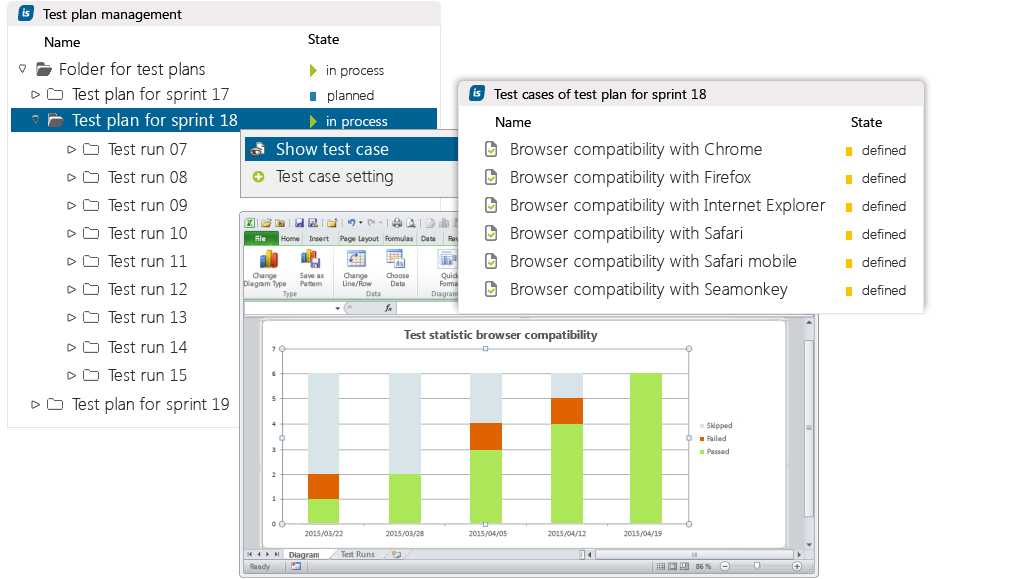
Manage your test plans efficiently, cross-project or organization-wide.
Define your individual test plan procedures.
Anytime access to individual test cases of each test run, with structured recording in easy-to-use forms.
States of all test cases are instantly transparent. In this example we are in sprint 18; the test cases are defined but have not yet been passed.
All results managed in in-STEP BLUE are stored revision-secure and can be easily exported to Microsoft Excel.

Test management and project management in one single software.
Manage projects with processes.
What is Test Management?
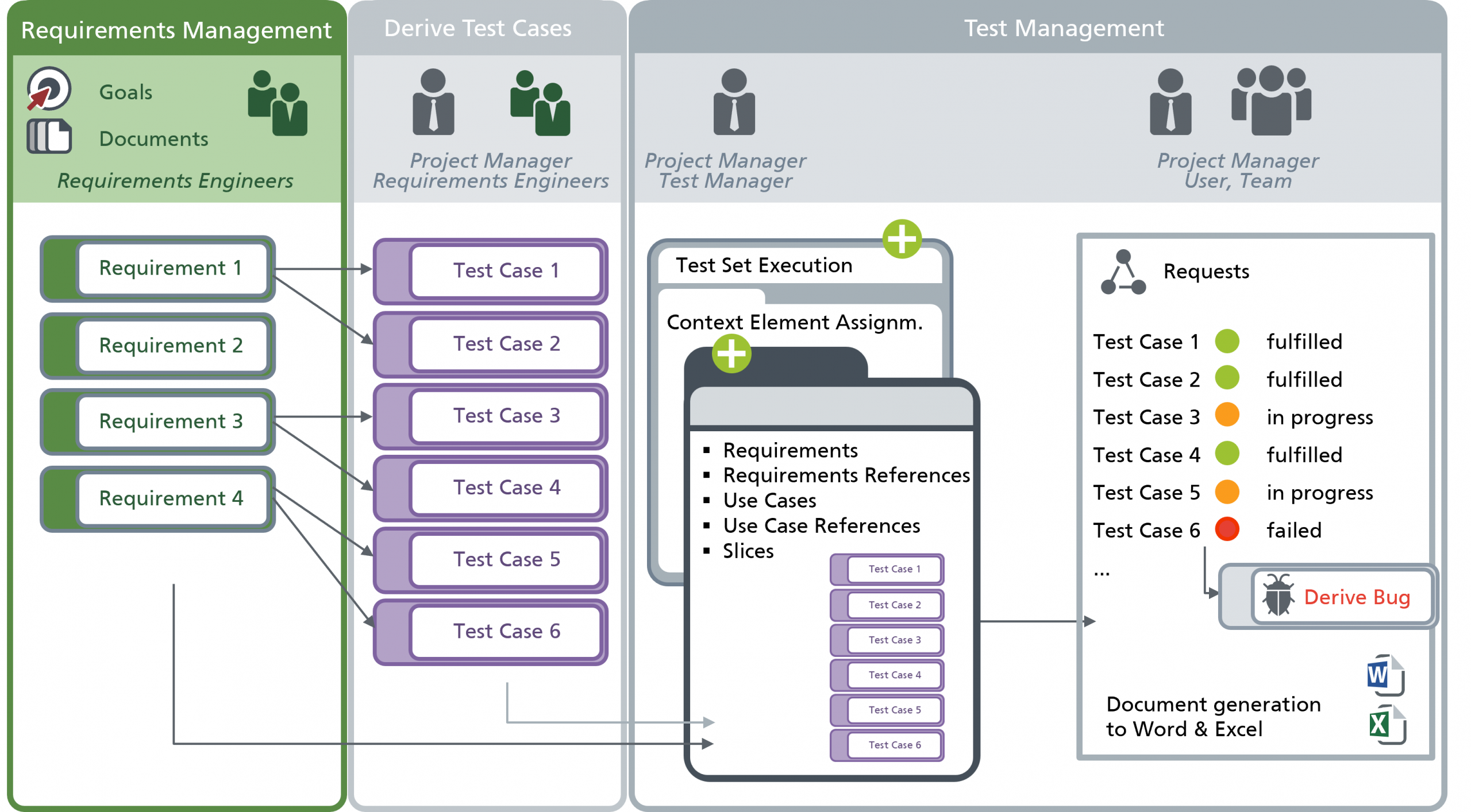
What information do you need?
How Does in-STEP BLUE Support You?
in-STEP BLUE combines test management, project management, requirements management and change management in one common software. With information instantly accessible, test quality is increased and traceability is ensured. For integrated test management in-STEP BLUE is the only option.
Test management under control
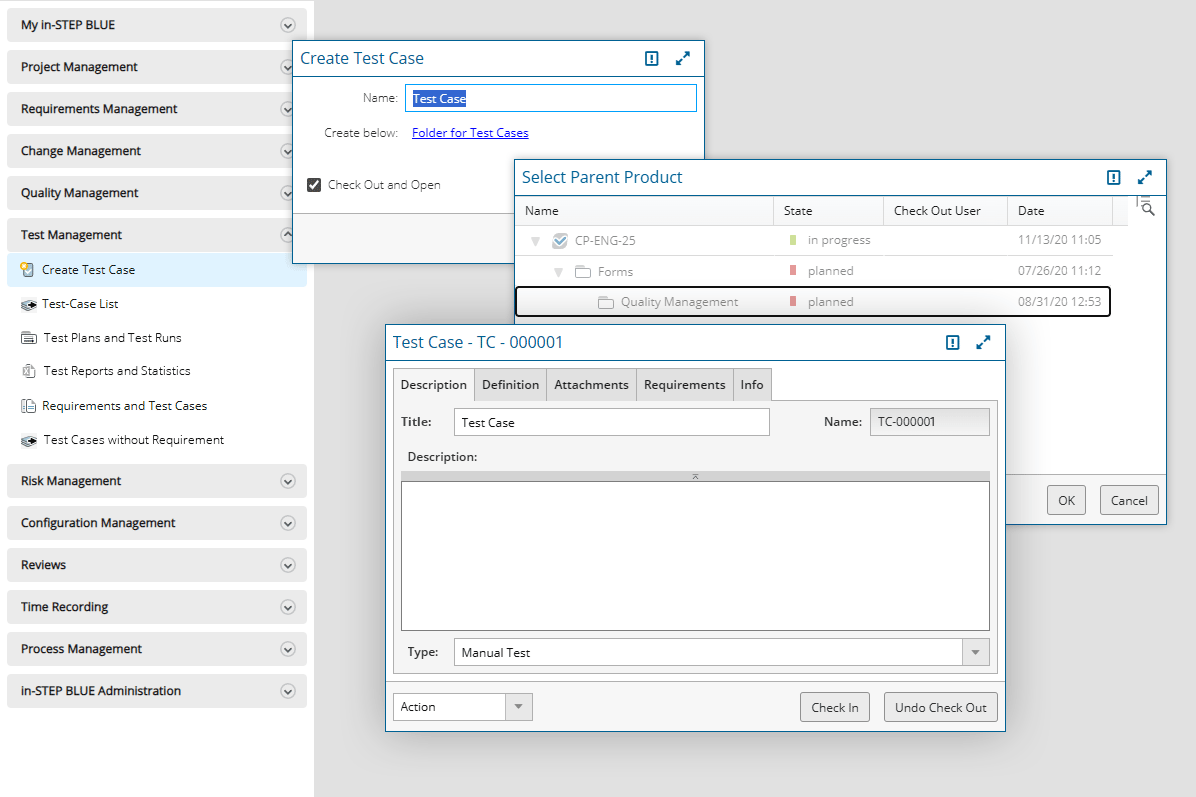
The easiest way to define a test case is to use a form. This allows you to record all information relating to a specific test case in one central location, ensuring that no information is forgotten and that you can track the test case’s lifecycle at any time.
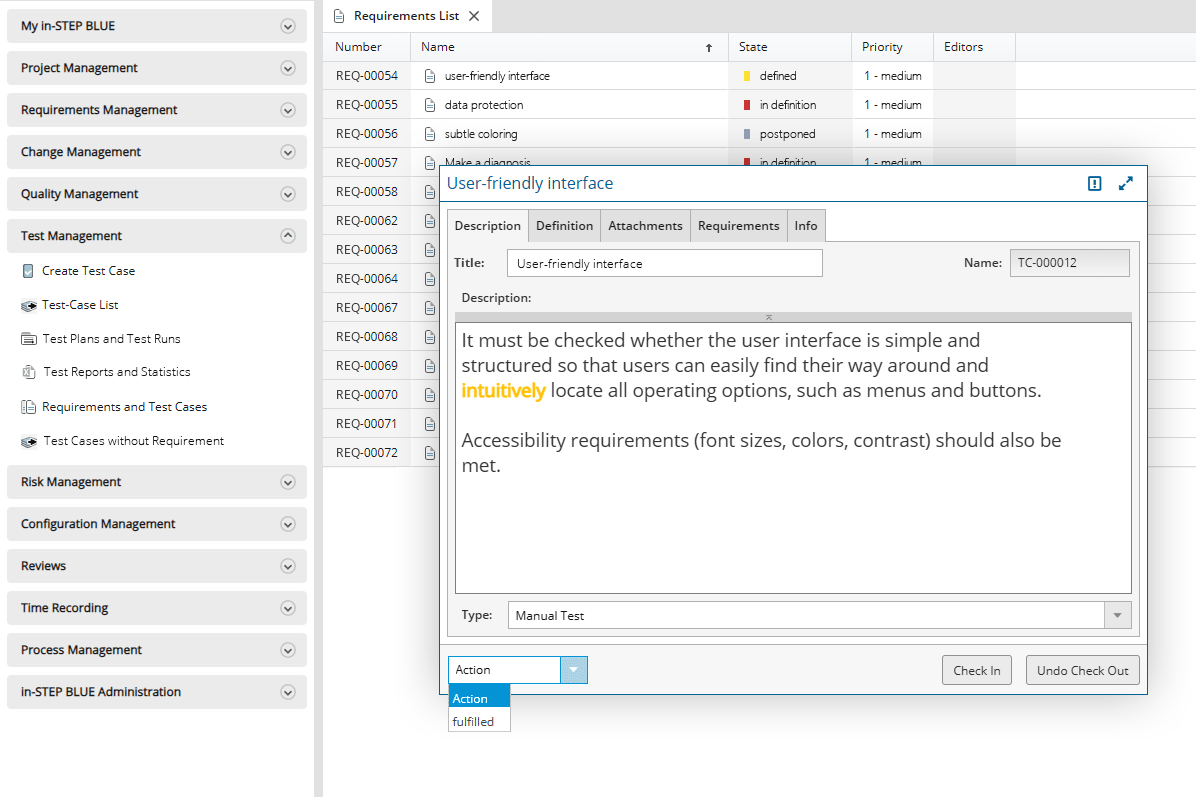
in-STEP BLUE offers you a system in which you can manage all information for your development or your projects. And these elements have relationships to other elements. For example, you use test cases to check the implementation of requirements. And therefore, you can also generate test cases directly for requirements.
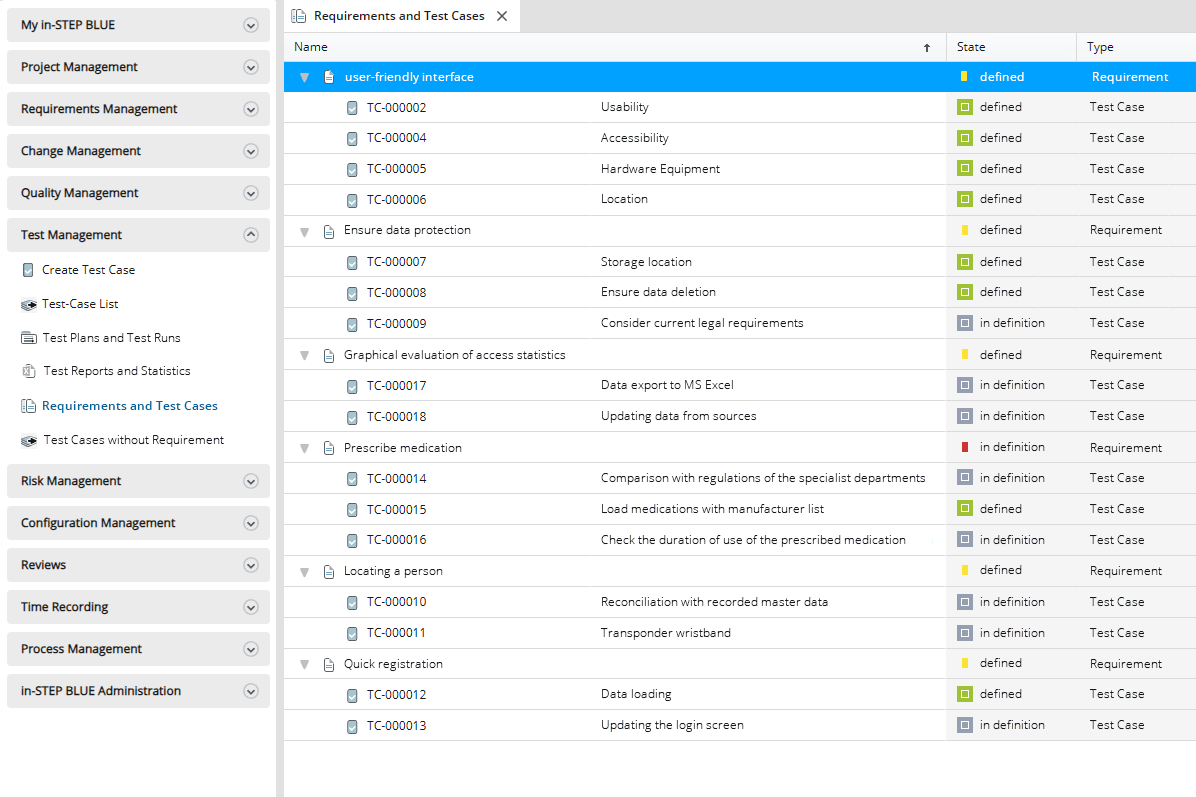
And, of course, you can also view all test cases in connection with your requirements.
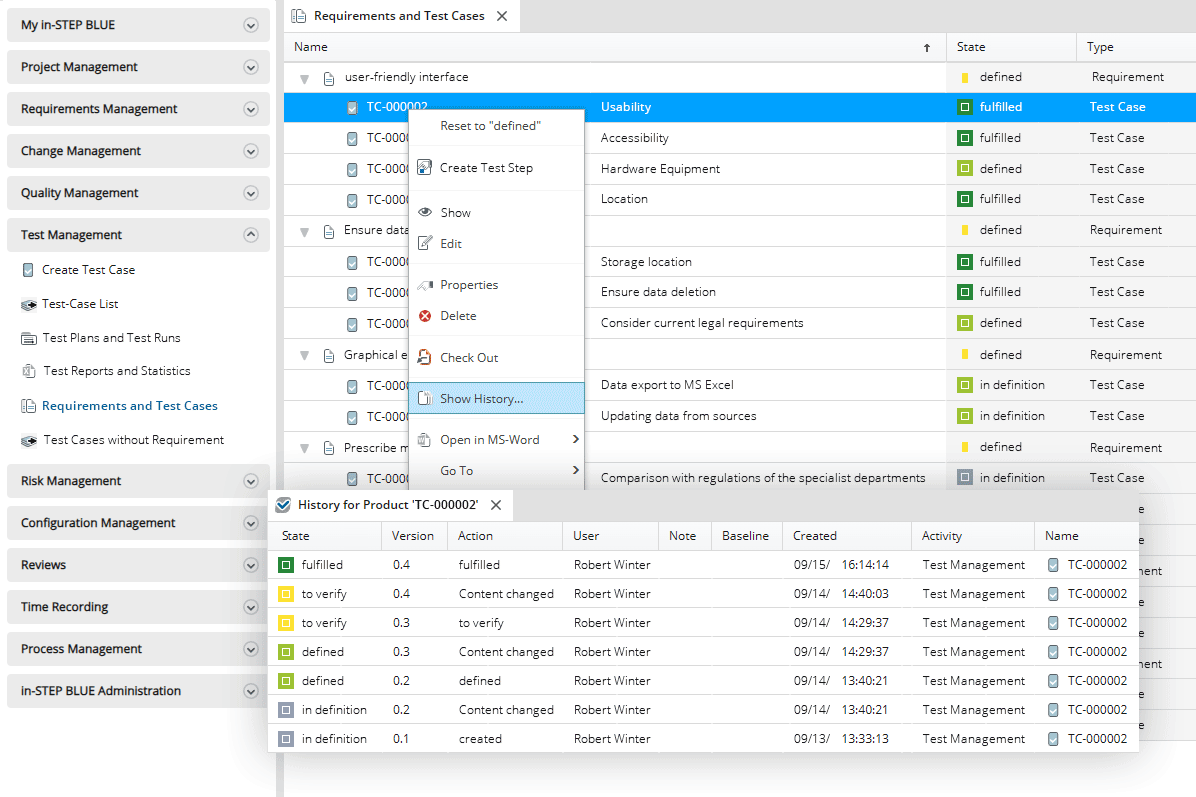
Handling test cases offers many options, such as notifying employees or displaying a history that allows you to easily track changes to test cases.
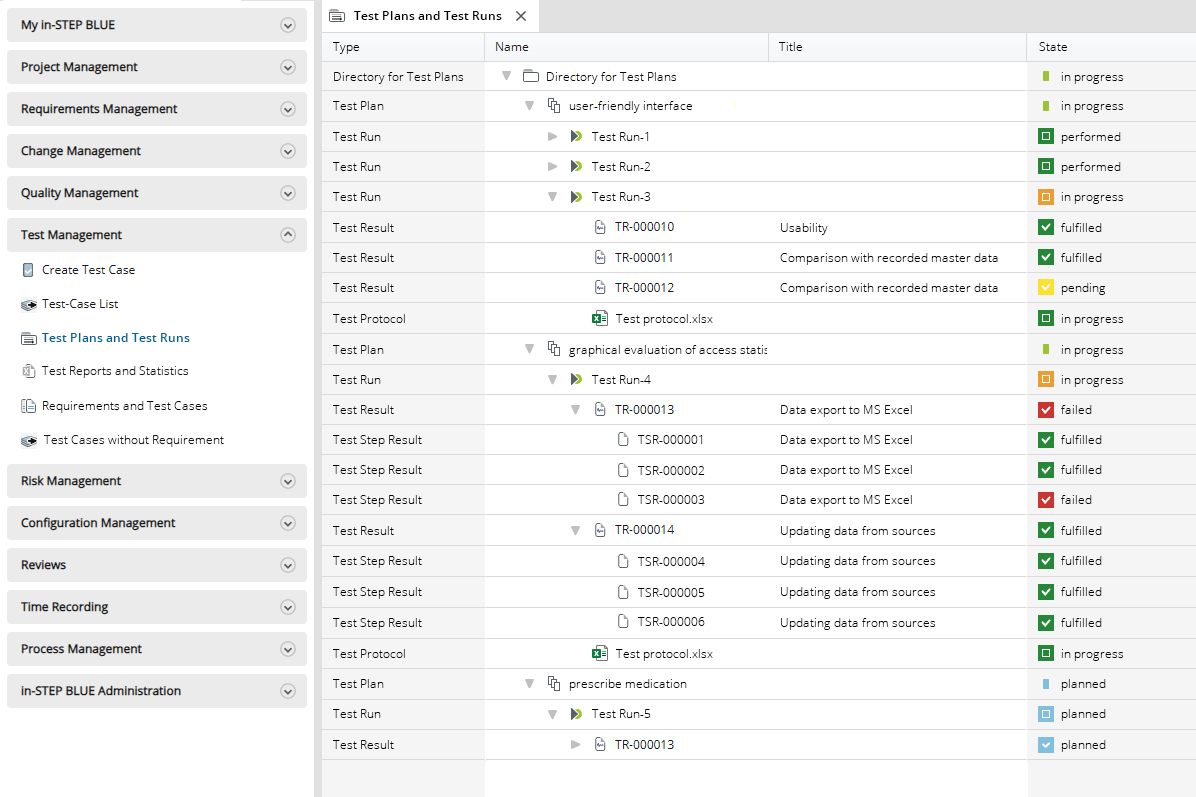
You can define which process and which file you want to store in in-STEP BLUE. Here you can see a structure with test plans and test runs, with corresponding test results and a test log.
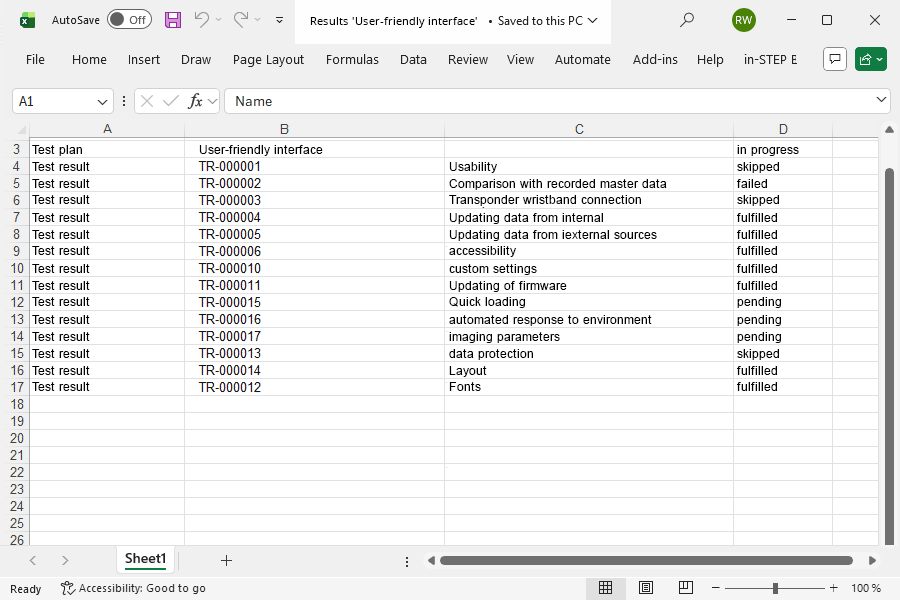
Want to use the test results in other tools? No problem, simply export the content at the touch of a button.
Click here for a list of functions of test management with in-STEP BLUE
- Plan and manage tests manually.
- Evaluate test cases and results individually.
- Document test procedures and ensure compliance.
- Embed test operations.
- Connect requirements to test cases.
- Structured elicitation of test cases and attributes.
- Create test protocols at the click of a mouse.
- Plan and document regression tests.
- Compare and retrace test results.
- Design your individual test management.
- Define metrics and reach goals.
- Integrate release management.
- Manage entire life cycles from start to acceptance.
- Continuously advance your process.
- Define operations with specific tasks.
- Repeat and evaluate test runs iteratively.
- Export data to Excel, Word, PDF and HTML.
- Define individual key figures for reporting.
- Guarantee requirements realization.
- Integrate roles and rights.
- Schedule and harmonize tests.
- Use templates for integrated documentation.
- Manage access to test and other directories.
- Monitor and edit test states.
- Integrate issue tracking.
- Use templates and check lists.
- Customize forms for elicitation.
- Quick project overview through colour indication.
- Plan, execute and evaluate tests in a single tool.
- Increase the quality of your process.
- Enable instant notification.
- Make full use of customizations.
Try out free of charge
Request a free trial of in-STEP BLUE now.
Tips & Tricks
In our Download Center you will find even more interesting downloads for in-STEP BLUE.
What users say about in-STEP BLUE