

Real insight into resourcing in your organization and projects.
Know who is performing what duty in what project.
See how your team is allocated across projects, tasks, and hours tracked, and know certain resources are already scheduled.
Have an immediate overview of resource utilization in your organization and keep track of free and overtaxed capacities.

Resource planning and employee support in one single software.
Manage projects with processes.
What Is Resource Management?
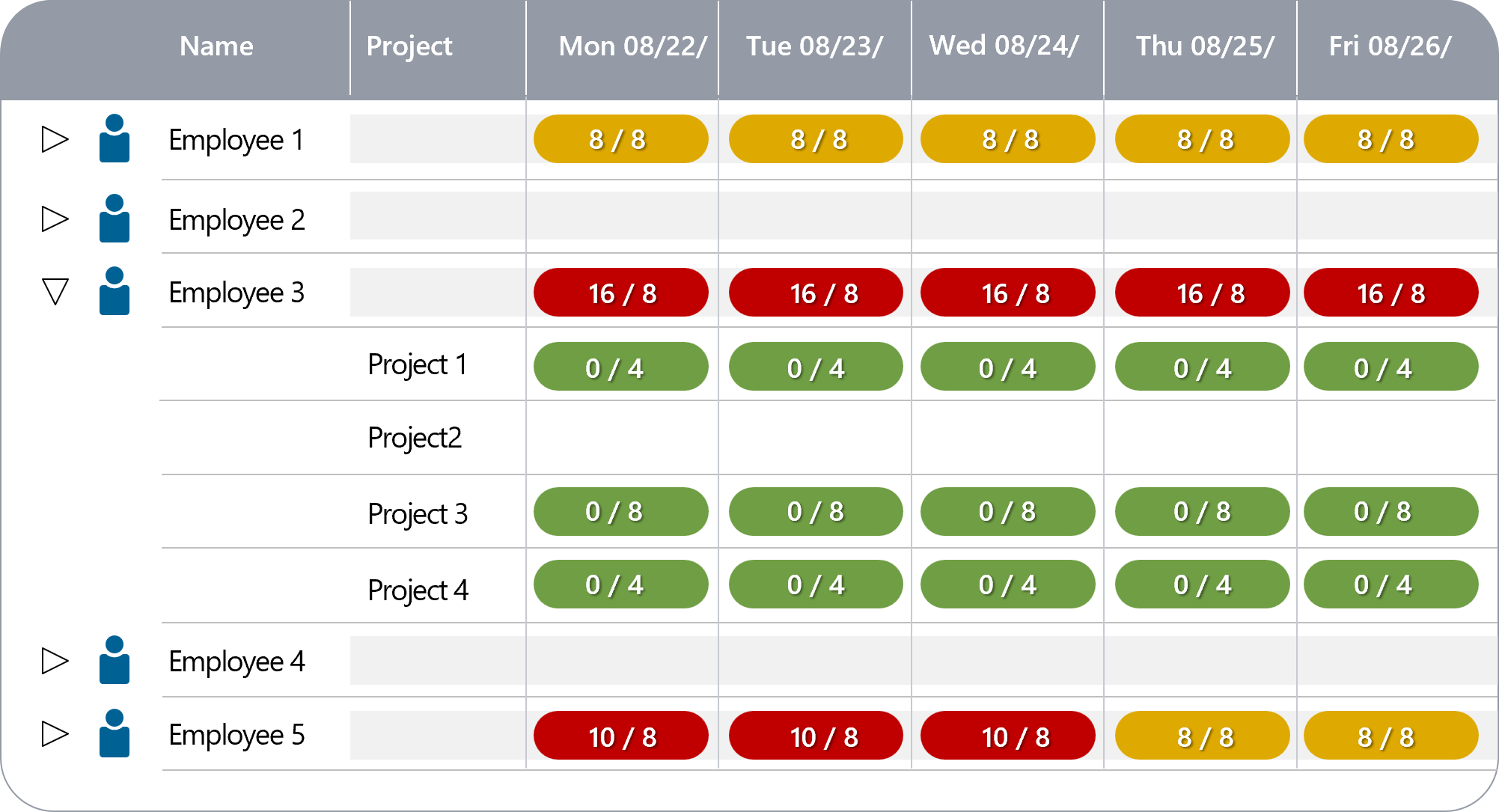
What Information Do You Need?
Resource management is very important for success. Keep in touch of who is working in your projects, who still has capacity or needs more work. Resource management is more than pure management of staff.
It is also the allocation of tasks, feedback about task completion, the support of employees in their work. You have access to all this information in real time.
How Does in-STEP BLUE Support You?
Keeping Track of Resource Management
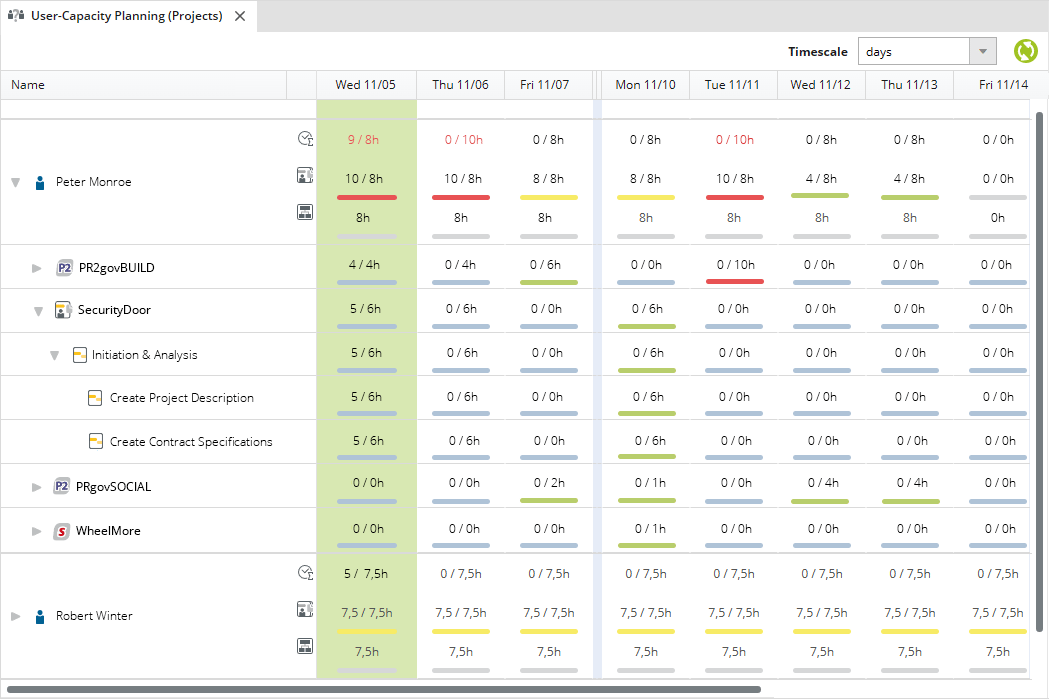
The cross-project resource plans in in-STEP BLUE allow you to see immediately whether an employee still has free capacity or needs reinforcement.
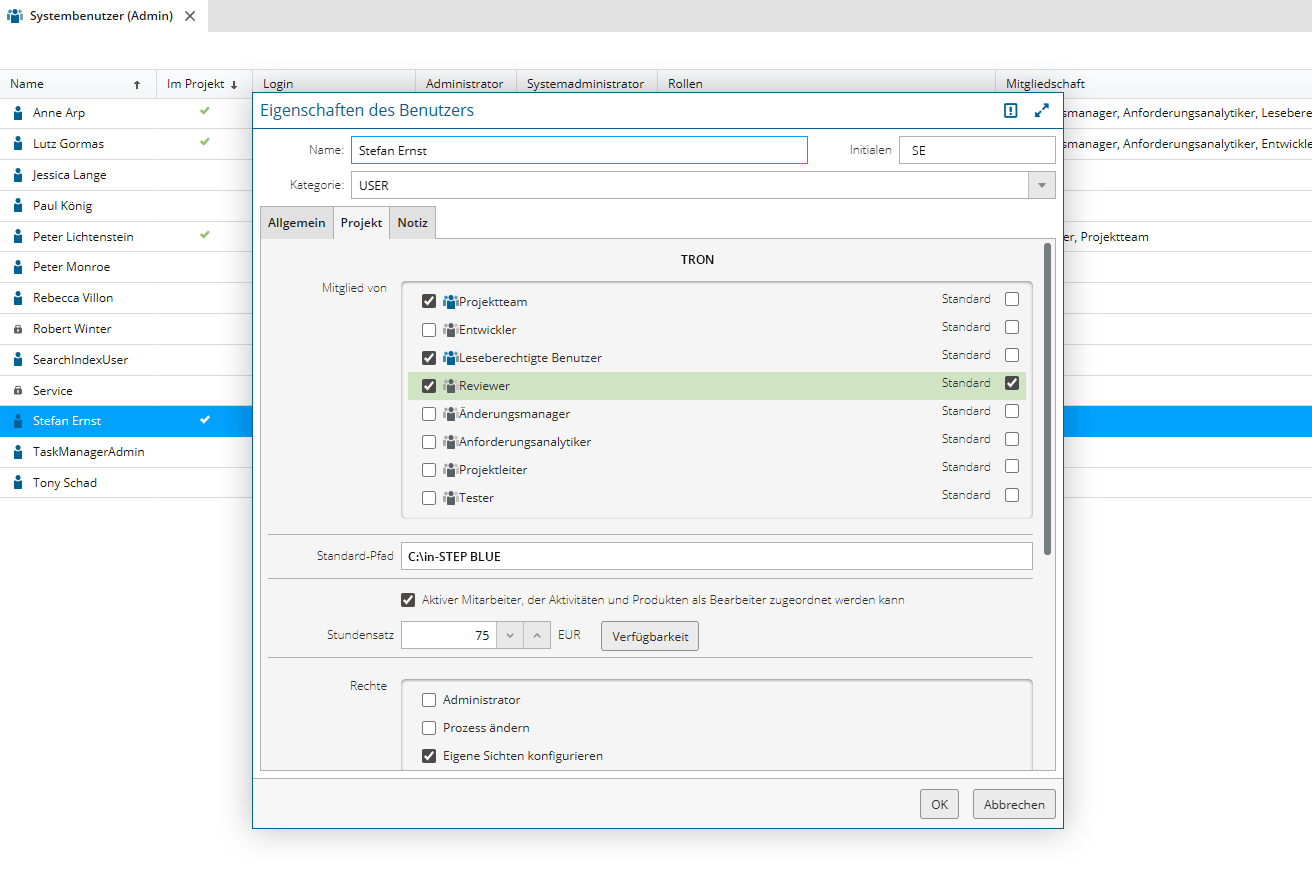
Employees can be grouped according to roles and skills. Workload can be determined based on requests to these groups and commitments from employees in these groups.
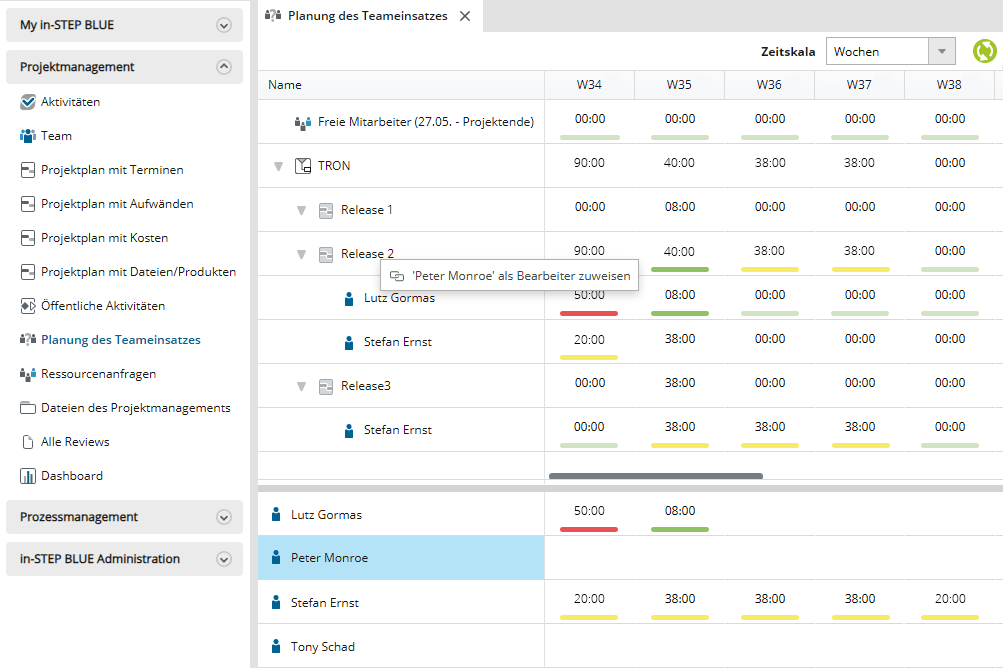
Resource allocation in in-STEP BLUE is done using drag & drop. Simply drag the employee onto an activity or resource request.
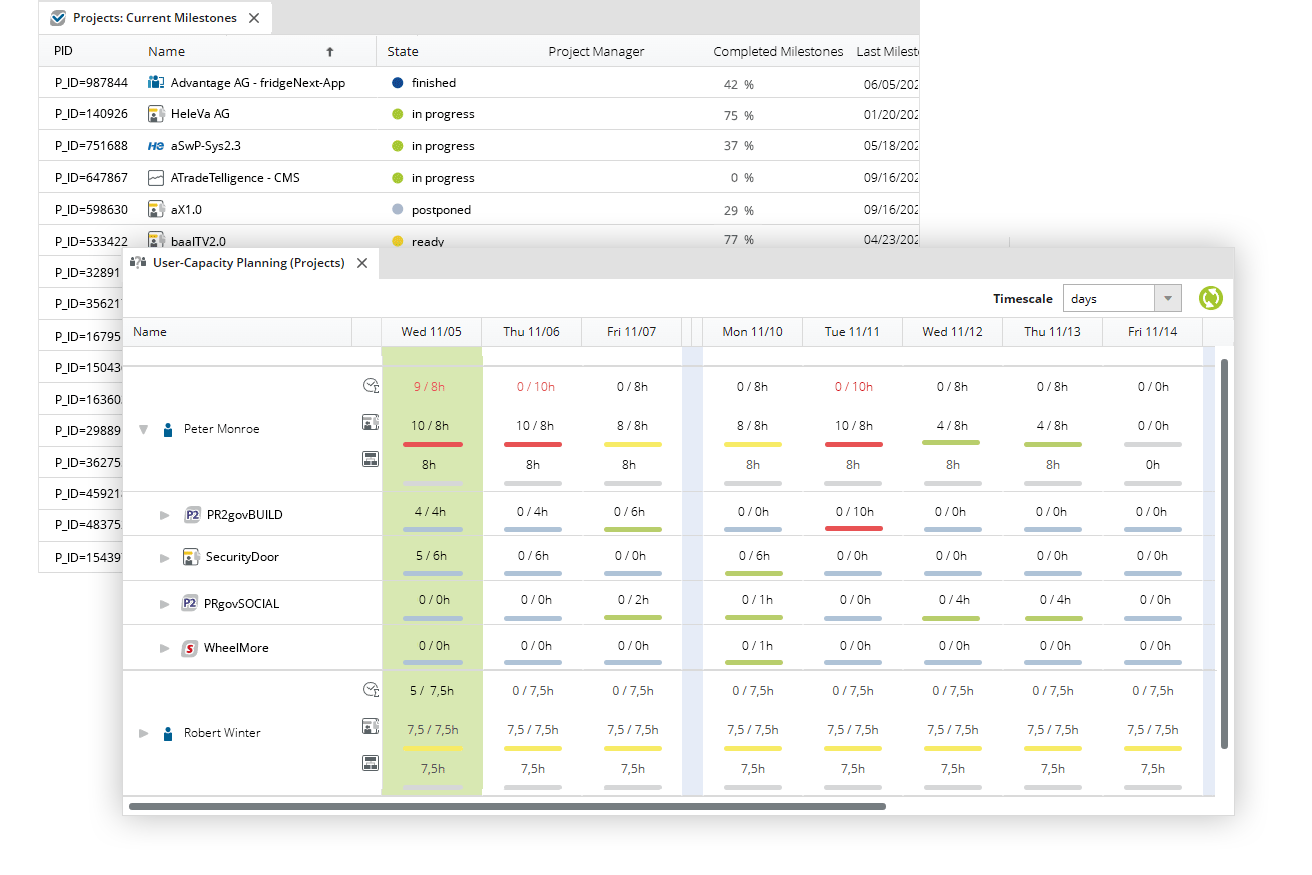
How are your projects progressing? How busy are your employees? Completion indicators, status reports, and graphical information can be easily displayed and utilized.
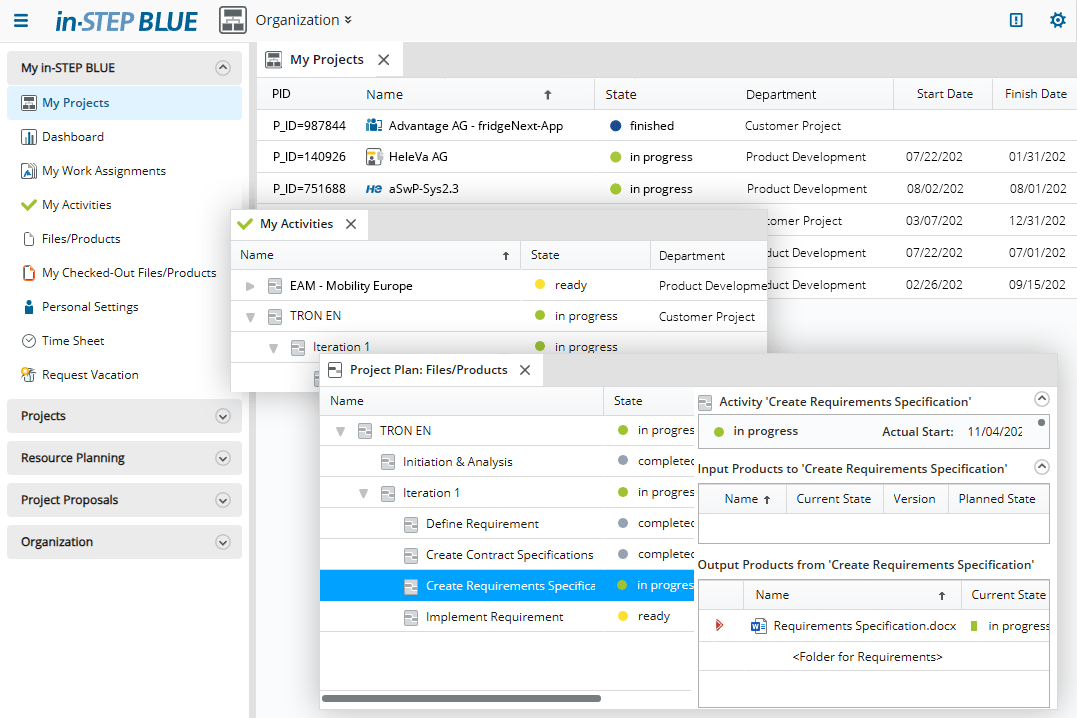
in-STEP BLUE also makes work easier for employees. Every employee can immediately see which projects they are involved in and which tasks are pending in these projects.
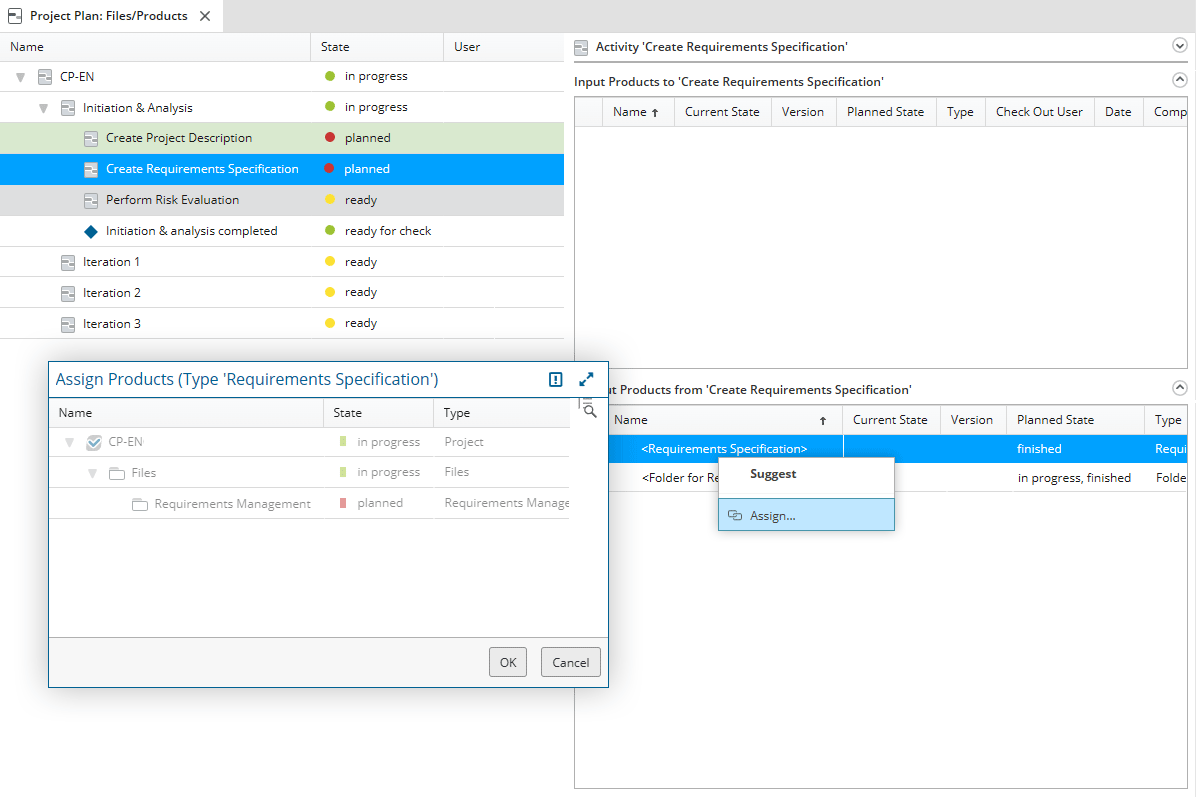
Knowing what to do: With their individual to-do list, every employee can immediately see which tasks await them and what results they are expected to produce.
Click here for a list of functions of resource management with in-STEP BLUE
- Provide an efficient and uniform planning environment for your entire organization.
- Plan and coordinate resource utilization cross-project and organization-wide.
- Define interdependencies between projects and set automatic notifications for rescheduling.
- Harmonize dates, resources and costs for the entire project portfolio and create synergies.
- Provide an overview of projects and tasks for each staff member.
- Determine available capacities and avoid the last minute scramble to hire for certain roles.
- Plan role-based, resource-based and see how your team is allocated across projects.
- Incorporate individual skills of your team members into your project planning.
- Allocate your resources to projects and leave the detailed planning to project managers.
- Replace resources in individual projects via drag and drop.
- Define interdependencies between projects and receive instant notifications on date changes.
- Manage vacation requests, national holidays and other forms of absence of your employees.
- Move from initial rough planning to detailed project activities of employees.
- Set up resource pools and assign project members via drag-and-drop.
- Assign employees to projects and leave the detailed planning to the project manager.
- Utilize placeholders, roles or “planned utilization” for faster set-up.
- Automatic resource balancing in projects.
- Consider individual skills of employees.
- Plan and coordinate resource allocation organization-wide.
- Visualize resource utilization on individually defined time spans.
- Define all aspects of planning and avoid altered plans through resource allocation.
- Inherit role rights to specific project members and speed up project planning.
- Utilize time recording in your browser, for single activities or entire projects.
- Define rights for member assignment, line managers or project managers.
- Plan based on remaining effort estimations and activity progress reports.
- Recognize capacities in departments, programs or projects.
- Plan based on remaining effort estimations and activity progress reports.
- Define which employee-related attributes you want to manage.
Try out Free of Charge
Request a free trial of in-STEP BLUE now.
Tips & Tricks
In our Download Center you will find even more interesting downloads for in-STEP BLUE.
What Users Say about in-STEP BLUE
“Our staff members’ requirements of in-STEP BLUE keep presenting me with tricky and exciting tasks. Solving these tasks and implementing the solutions is fun at all times. In the end it is always possible to make project work easier for our staff. In case I do get stuck there is the committed microTOOL support team, offering help and guidance whenever I need it.“