
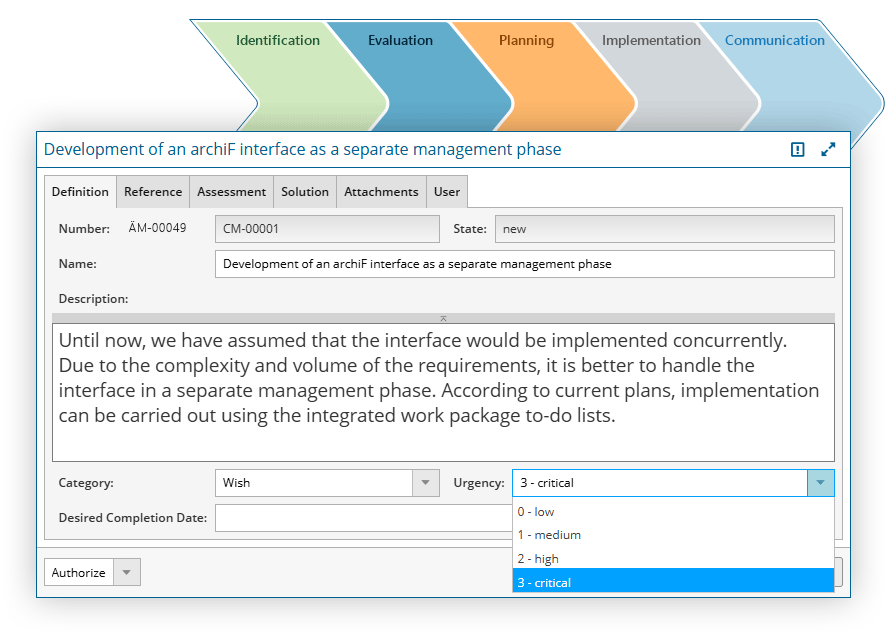
With in-STEP BLUE you make full use of processes and procedures for your change management. Customizable and tailorable to the needs of your organization.
With in-STEP BLUE, elicting and detecting changes is as simple as it gets. With structured and easy-to-use forms you have an instant overview of each and every change, at any time.
Changes constantly affect other aspects of the development processes in your projects; be it individual requirements, documents, products or other elements.
In in-STEP BLUE all forms as well as the procedures and operations in the background are easily and quickly customizable.
The criteria applied are individually configurable, as well as notifications and views, e.g. for critical changes.

Change management and project management in one single software.
Manage projects with processes.
Why change management?
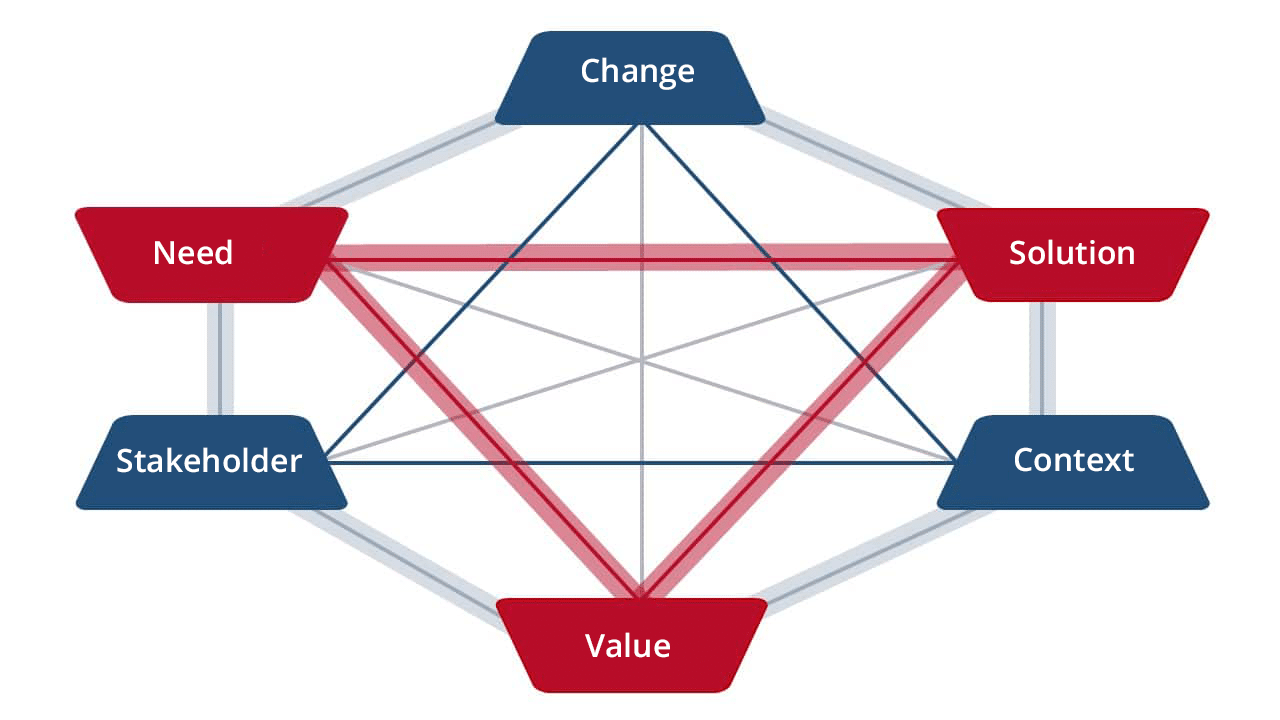
What information do you need?
How does in-STEP BLUE support you?
Change management within your team
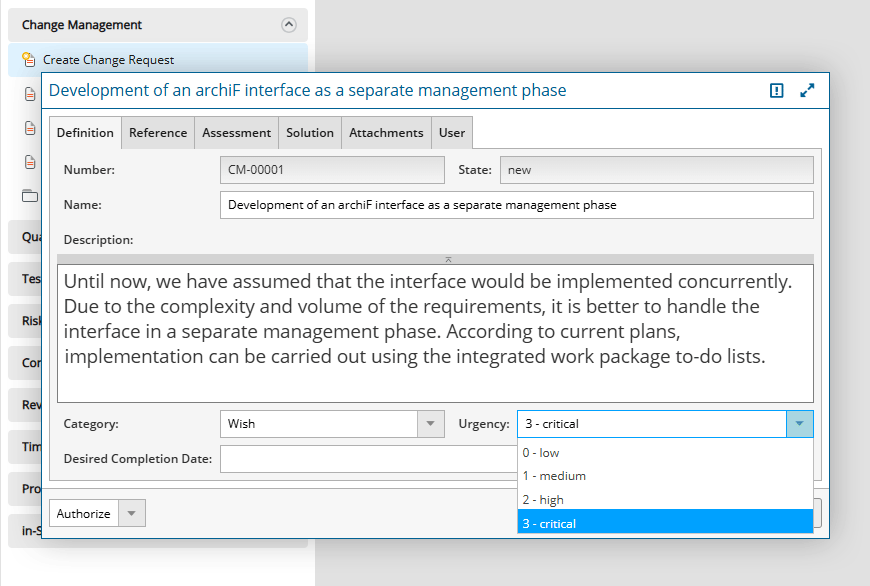
With in-STEP BLUE, you can easily record changes. Simply use a preconfigured form.
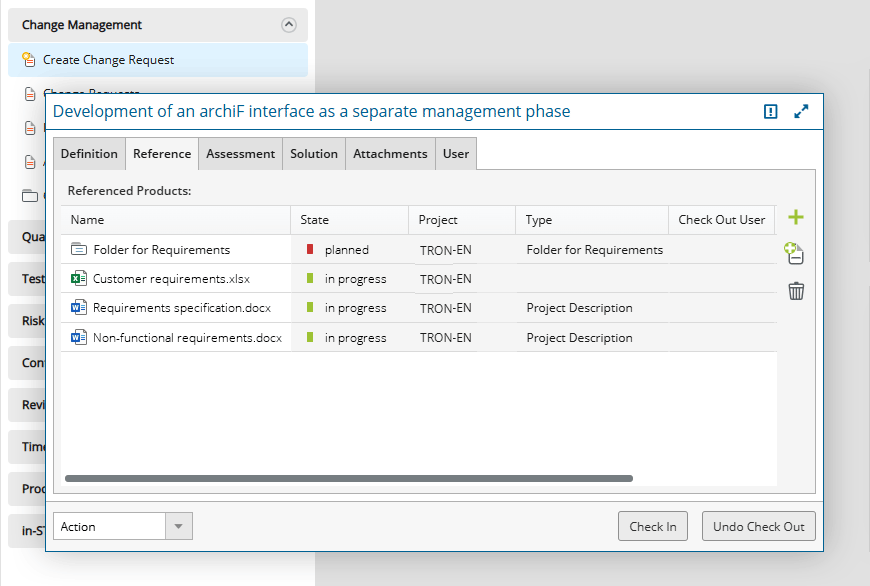
Changes often affect other aspects of a project, such as schedules, documents, requirements, etc. With in-STEP BLUE, you can manage all project information in a single system, making it easy to define and track relationships between different elements.
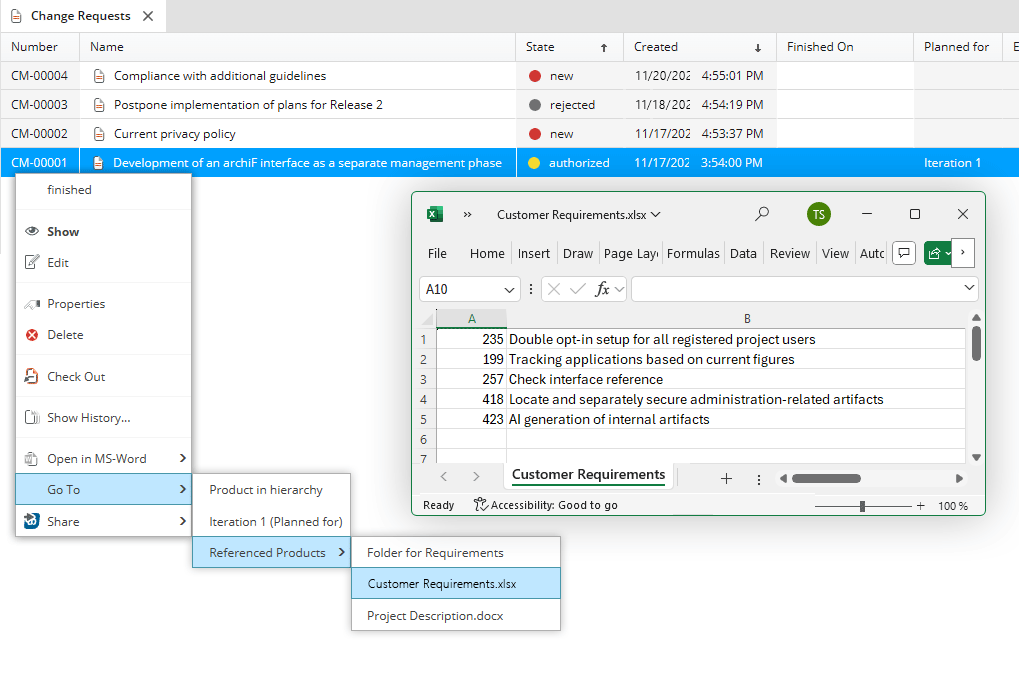
Of course, you also have many options available when dealing with change requests. You can view differences between different versions of a change request, change statuses, or navigate directly to affected elements—in this case, the Excel document “Customer Requirements.”
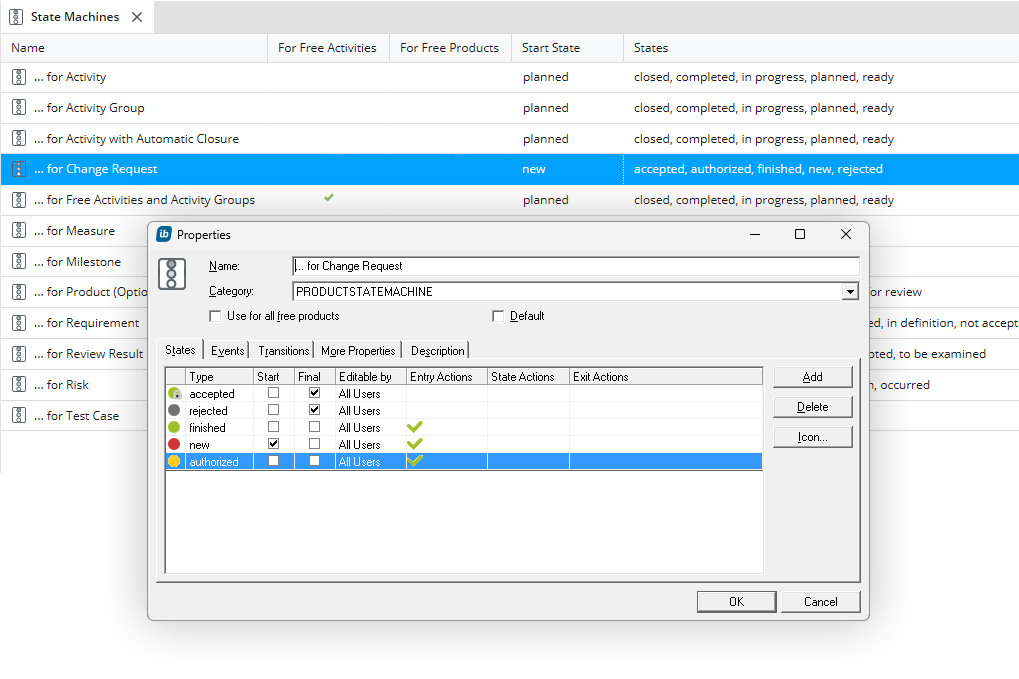
Speaking of statuses: in-STEP BLUE makes it easy to define the statuses that a change request can go through, as well as the corresponding status transitions. You can also use statuses to send automatic notifications, for example, when a ‘requested change request’ has been ‘approved’.
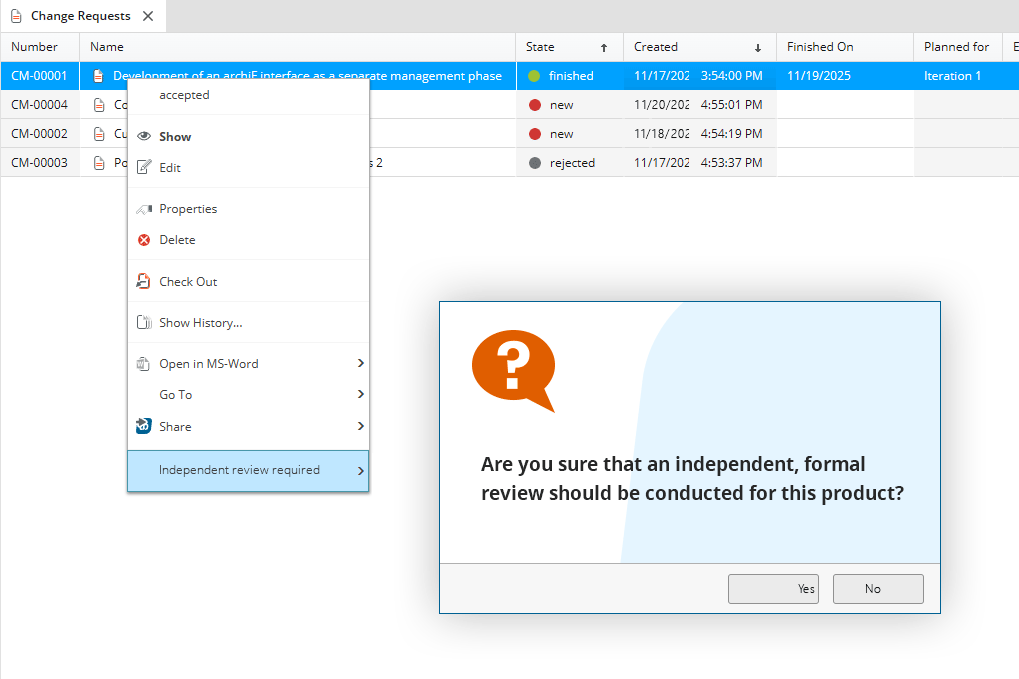
Do you want to carry out separate, formal checks as part of a defined process? No problem, because you not only define statuses, but can also specify the entire handling of changes according to your requirements. This gives you optimal support for dealing with all changes that arise.
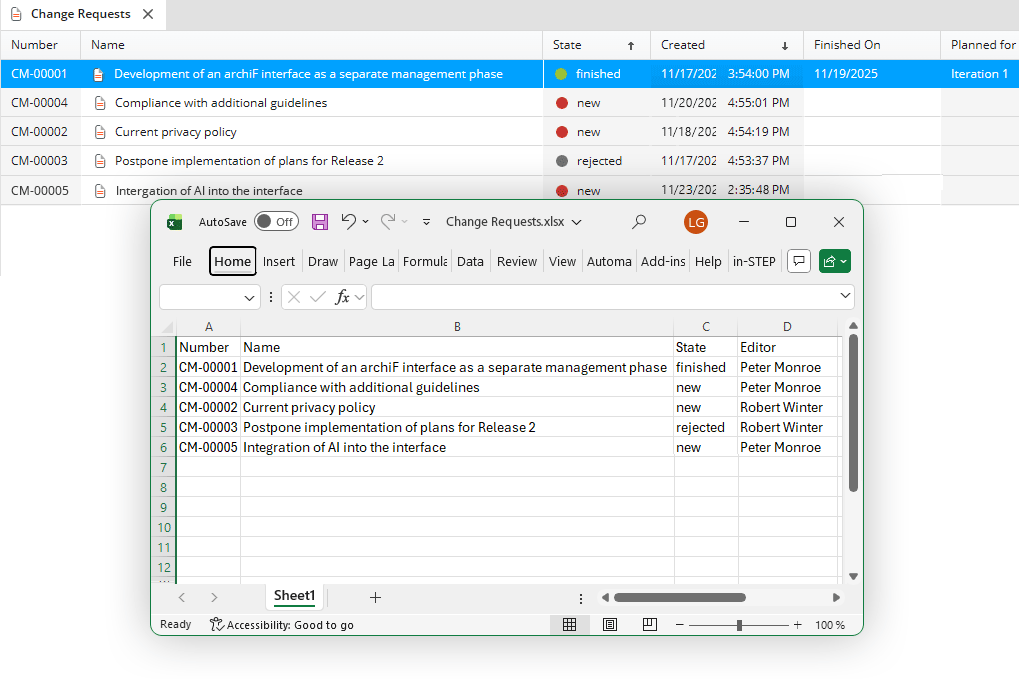
And if you want to display changes in separate tools—for example, to create charts in MS Excel—just one click is all it takes to export the information in the desired format.
Click here for a list of functions of change management with in-STEP BLUE
- Manage, categorize and evaluate change requests.
- Define attributes and customize request forms.
- Version change requests, access their history and determine changes.
- Create individual reports and evaluations at the push of a button.
- Create estimations of costs and efforts for impact analyses.
- Relate change requests to requirements and identify risks.v
- Easily document and manage change requests and all related data.
- Define individual access and editing rights as well as role-specific views.
- Custom-tailor change management procedures and adjust it to the needs of your organization.
- Keep your team up-to-date on all changes and news and improve communication.
- Instant notifications and confirmations for all users.
- Task assignment for scheduled change realizations.
- Easy monitoring of all change requests and their individual states.
- Integrated configuration monitoring for the entire life cycle.
- Include change requests in documents.
- Customizable templates for change realization.
- Adjust change management to your specific needs.
- Customizable reports and evaluations.
- Check lists for change management operation.
- Define guidelines for handling of changes.
- Create workflows for specific tasks and roles.
- Patterns for the utilization of methods.
- Improve quality through methods and business processes in your organization.
- Combine change, configuration and project management as well as quality assurance.
- Individual key figures for reporting.
- Support your team with helpful guidelines.
Try out free of charge
Request a free trial of in-STEP BLUE now.
Tips & Tricks
In our Download Center you will find even more interesting downloads for in-STEP BLUE.
What users say about in-STEP BLUE

Discover change management with in-STEP BLUE now
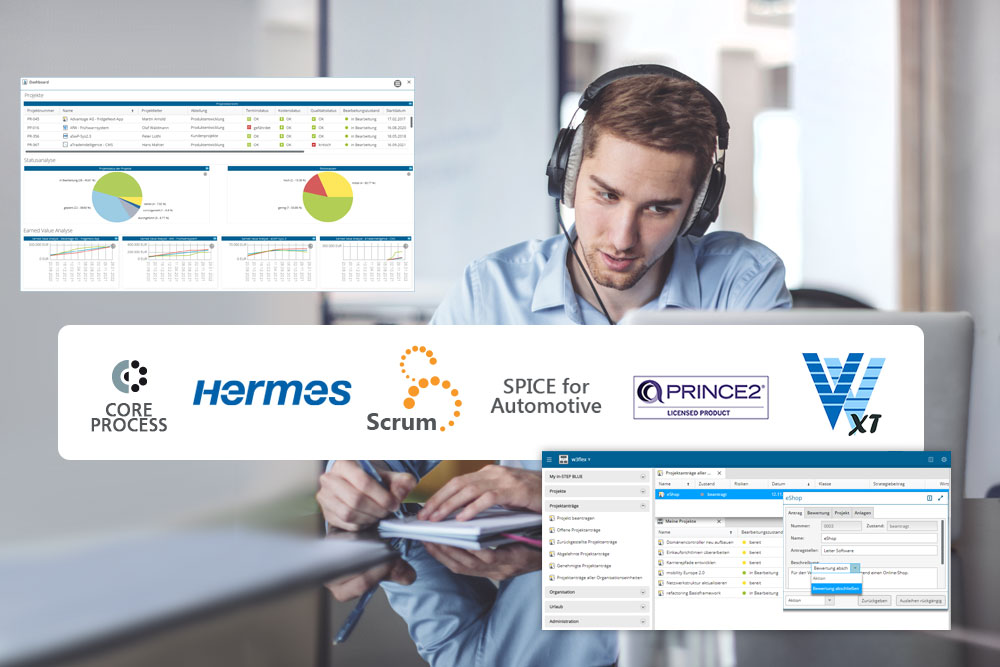
Process Based Project Management with in-STEP BLUE
Find out in our free webinar how you can use in-STEP BLUE to manage requirements, changes and tests as well as efficiently implement project and multi-project management using processes such as V-Modell XT, PRINCE2 or Scrum.