
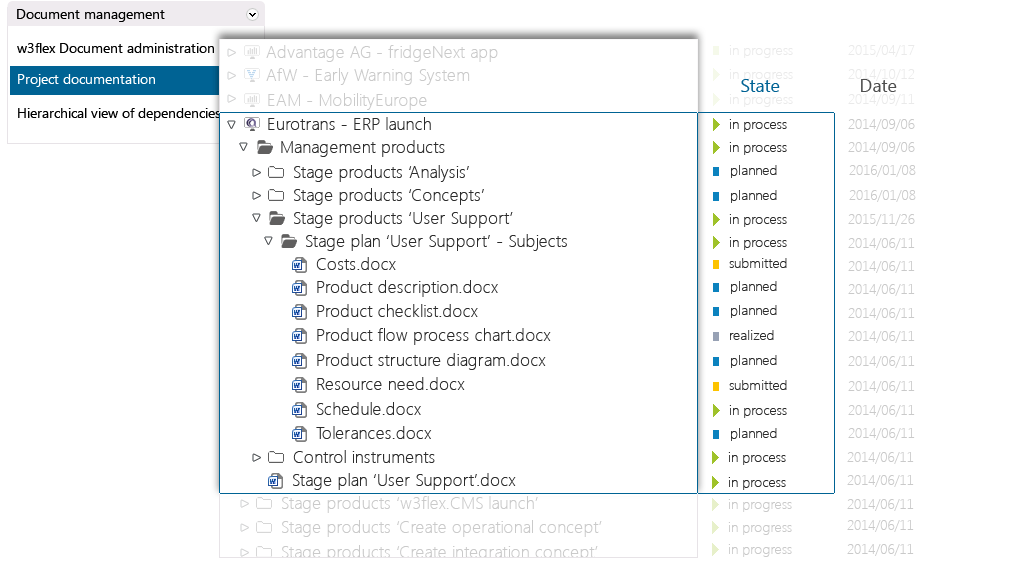
Manage all your documents, in projects and organizations. Custom-tailored to your needs and specifications.
Upon installation in-STEP BLUE creates a common structure for document management in your projects. No set-up time for a quick start.
Manage all your files such as texts, tables or graphics directly in in-STEP BLUE, regardless of format, e.g. requirements, test cases, ideas and project requests.
Document states are instantly visible and accessible. With customizable states for different types of documents.
Display, arrange, sort or filter selected properties at the click of a mouse.

Document management and project management in one single software.
Manage projects with processes .
What is document management?
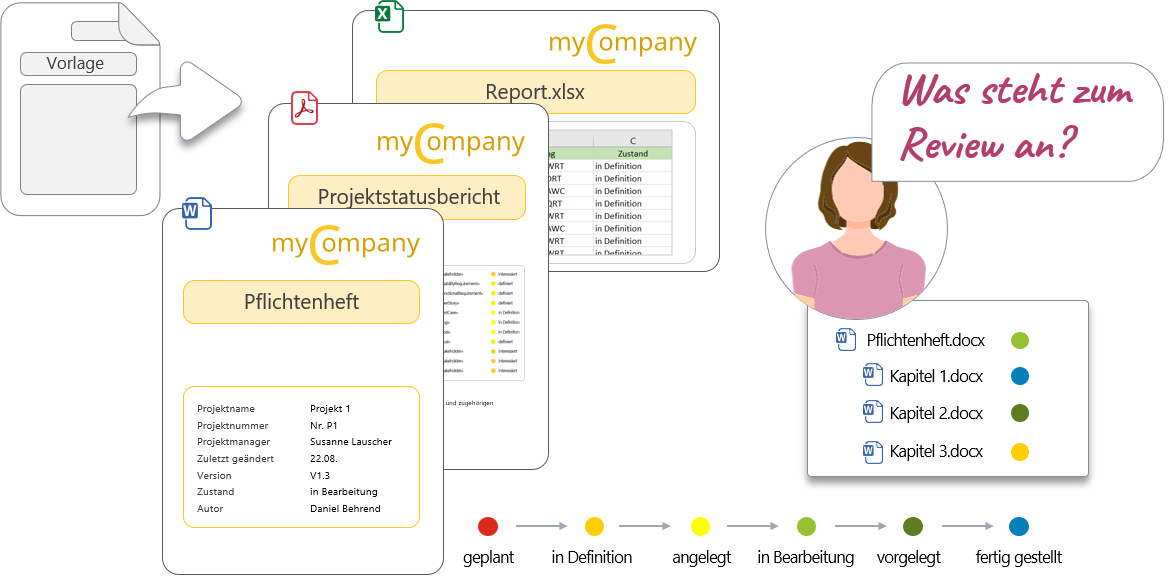
What information do you need?
How does in-STEP BLUE support you?
Document management for your organization
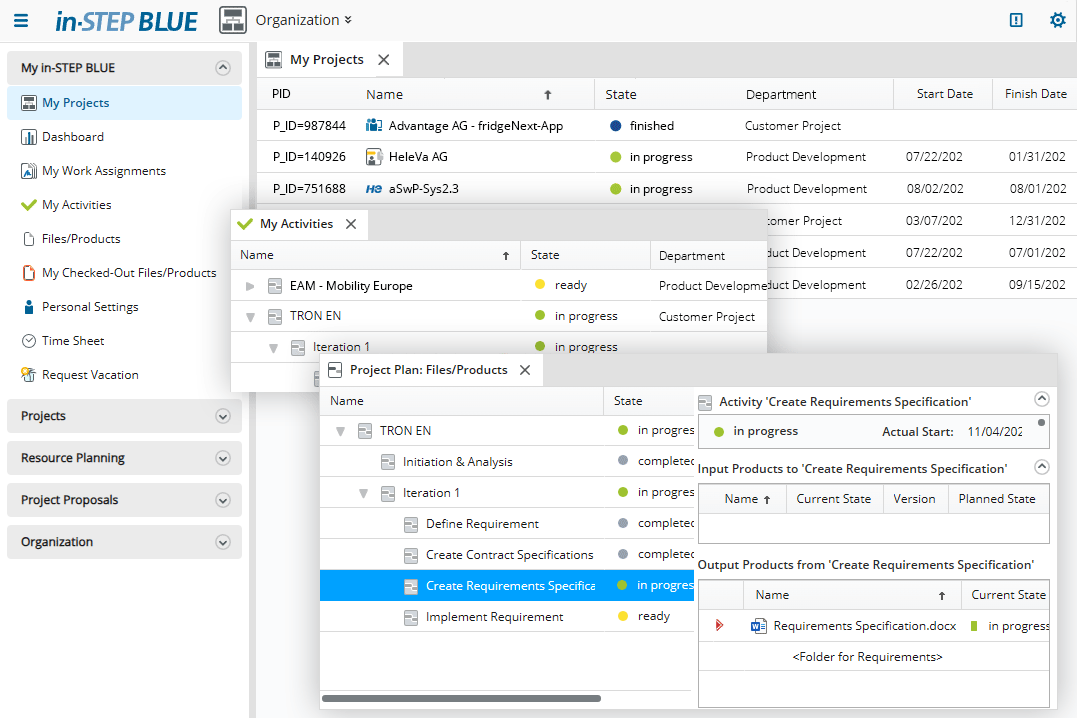
With structured templates, you’re ready to go right away. in-STEP BLUE automatically maintains the cover page, table of contents, and change history – so you can concentrate fully on documenting your results.
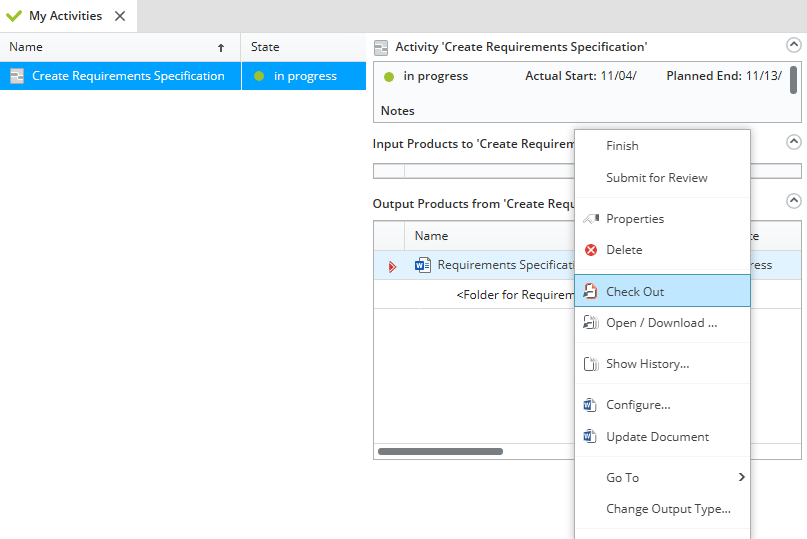
The appearance of in-STEP BLUE automatically adapts to an employee’s tasks and permissions, so there are no unnecessary distractions. The employee who is responsible for creating the specifications can access the documents to be processed directly from their to-do list.
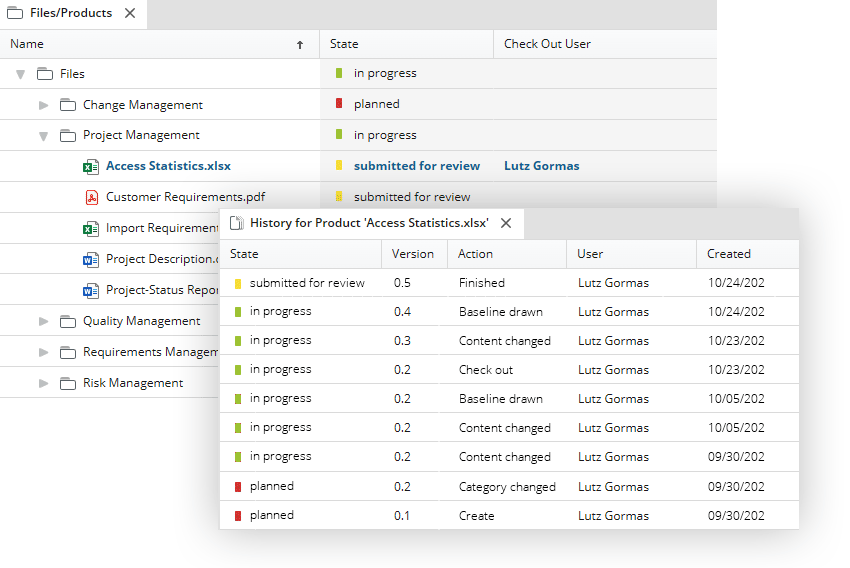
Of course, in-STEP BLUE versions changes – here using the example of an Excel file. You can easily see how many versions have already been created and who created them and when. You can also view the differences between individual versions and restore older versions.
Click here for a list of functions of document management with in-STEP BLUE
- Central management of all documents and file types.
- Create useful project documentation.
- Create a uniform filing system for your projects.
- Define workflows for your document management.
- Simple referencing of documents in projects.
- Document interdependencies between products.
- Secure and shared creation of complex documents.
- Define effective access and editing rights.
- Accurate import of database content into documents.
- Full-text search for targeted search for results.
- Document templates for standards-based documentation.
- Automatic versioning of documents and difference detection.
- Utilize documented information for biddings.
- Enable effective archiving of all file types.
- Support home office work through web access.
- Automatic and error-free name assignment.
- Create inividual document management with customized directory structures.
- Define and utilize patterns for repeated and uniform document creation.
- Create individual files paths for document check out on shared network drives.
- Work revision-secure in your projects and the entire organization.
- Set guidelines for structuring in your organization.
- Enable full network access for home offices.
Try out free of charge
Request a free trial of in-STEP BLUE now.
Tips & Tricks
In our Download Center you will find even more interesting downloads for in-STEP BLUE.

What users say about in-STEP BLUE