
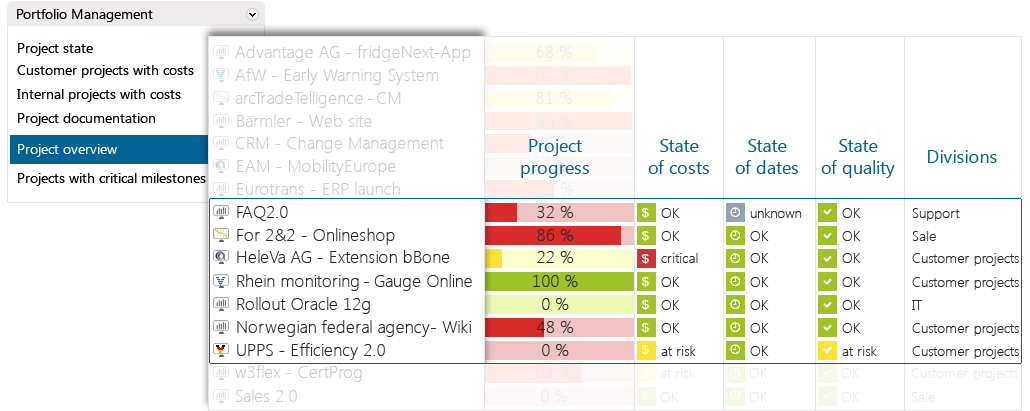
In in-STEP BLUE you will find different views of your projects. This allows you to recognize individual aspects better, making it easier to make good decisions.
The projects in in-STEP BLUE can be planned and controlled with different processes. You can use standards or your best practices for your projects.
With in-STEP BLUE you can calculate progress markers, figures or your own key performance indicators.
With in-STEP BLUE project managers easily document their opinions about the projects’ statuses. This provides an additional view to the KPI’s.
With in-STEP BLUE you can depict your own organization and structure. It also allows you to compare and evaluate your projects more easily.

Multi-project management and project management in one single software.
Manage projects with processes.
What Is Multi-Project Management?
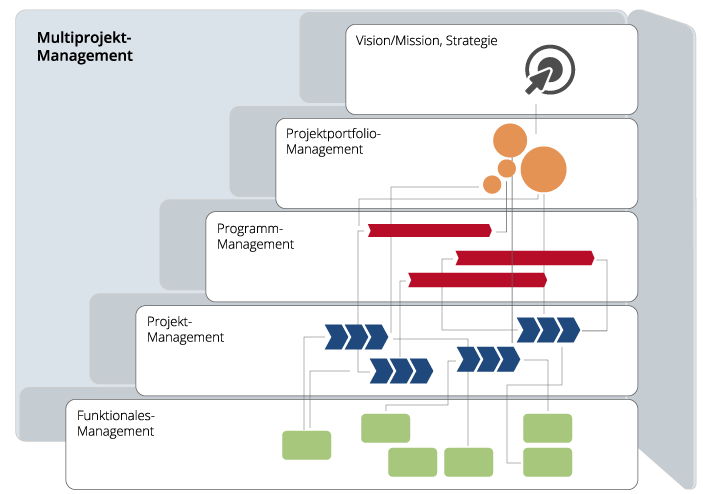
What Information Do You Need?
In many organizations multi project management is a part of daily business. But how can you know who needs specific information at specific times? How would you like to organize the various projects and coordinate the interplay between them?
Multi-project management is more than resource management and allocation; it defines real-time access to information, to documents, to results, to key figures and to process models.
How Does in-STEP BLUE Support You?
Multi-Project Management in Teams
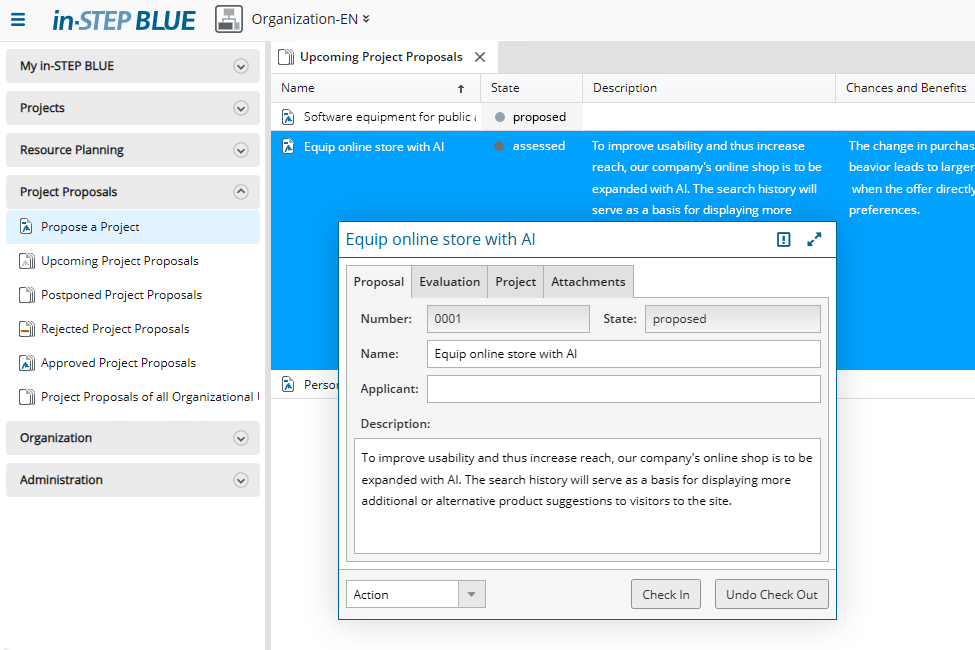
Of course, you can easily create and plan projects in in-STEP BLUE. However, if you work in a larger organization and have many parallel projects to manage, it is advisable to submit project proposals, evaluate these proposals, and then, once approved, tackle a specific project.
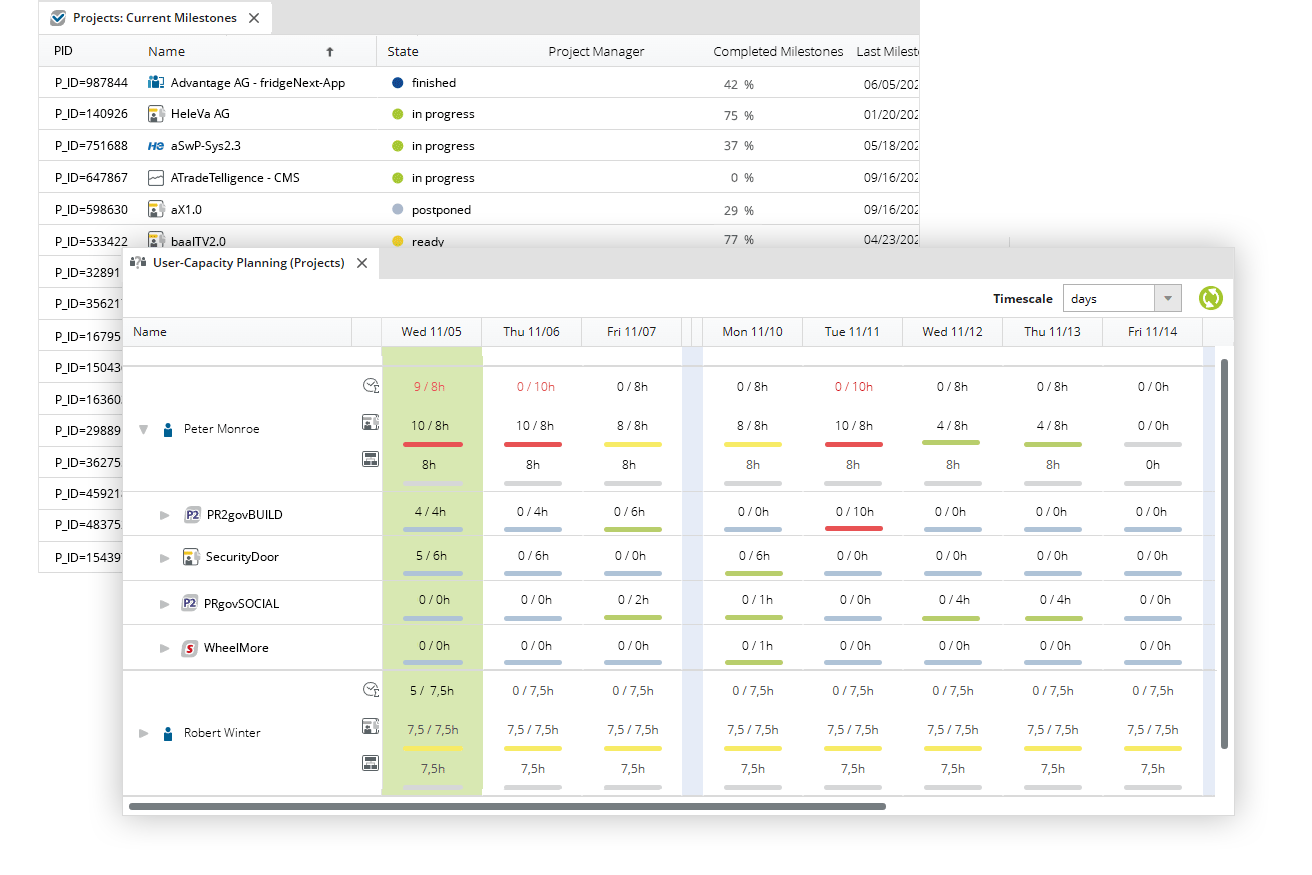
How are your projects going? What is the progress, how does the target/actual comparison look, who are the contact persons – you can easily answer these questions with in-STEP BLUE. And, of course, who is scheduled for which projects or which projects still need resources.
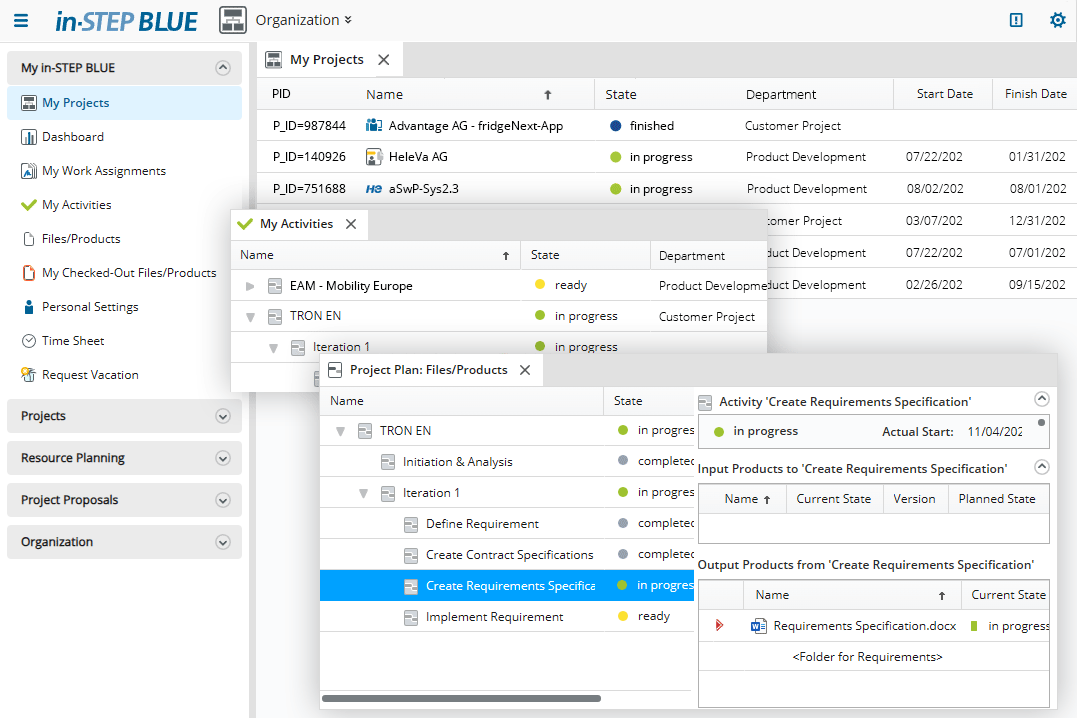
How do employees keep track of things when they are working on several projects at the same time? For example, with automatic annotations. Or with an overview of all projects in which they are active or in which tasks are pending. Or with templates that make work easier. in-STEP BLUE is therefore not only a tool for management, it is also a tool for all project staff.
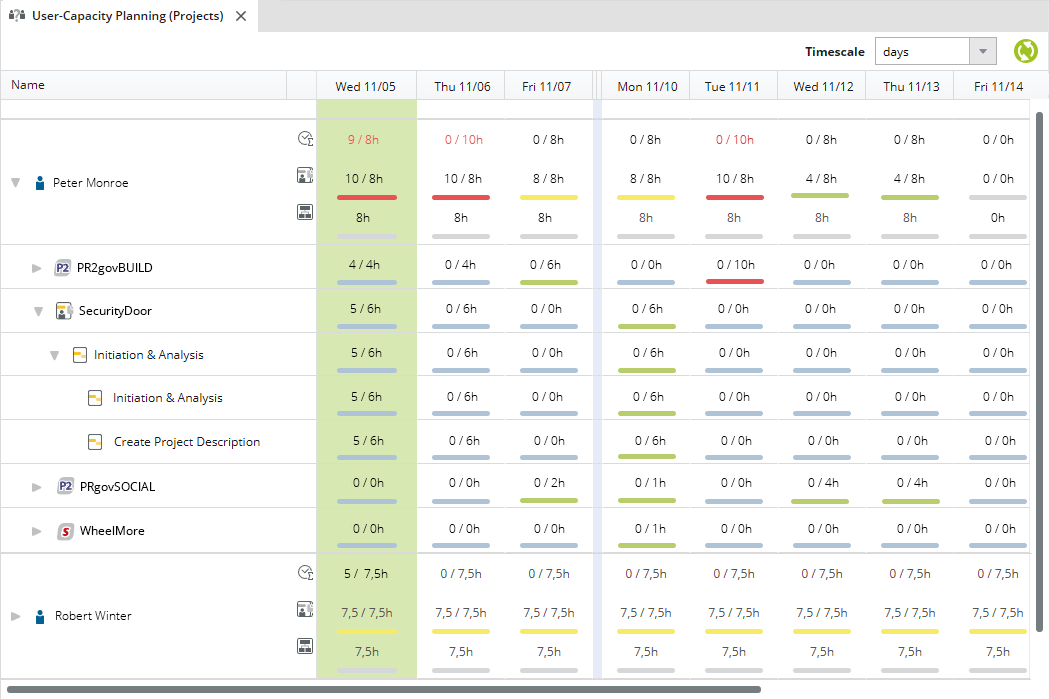
Resource planning and utilization are two important factors when working with parallel projects. Who is working on which project and which task? Is there still free capacity? in-STEP BLUE provides you with this information in an easy-to-understand format.
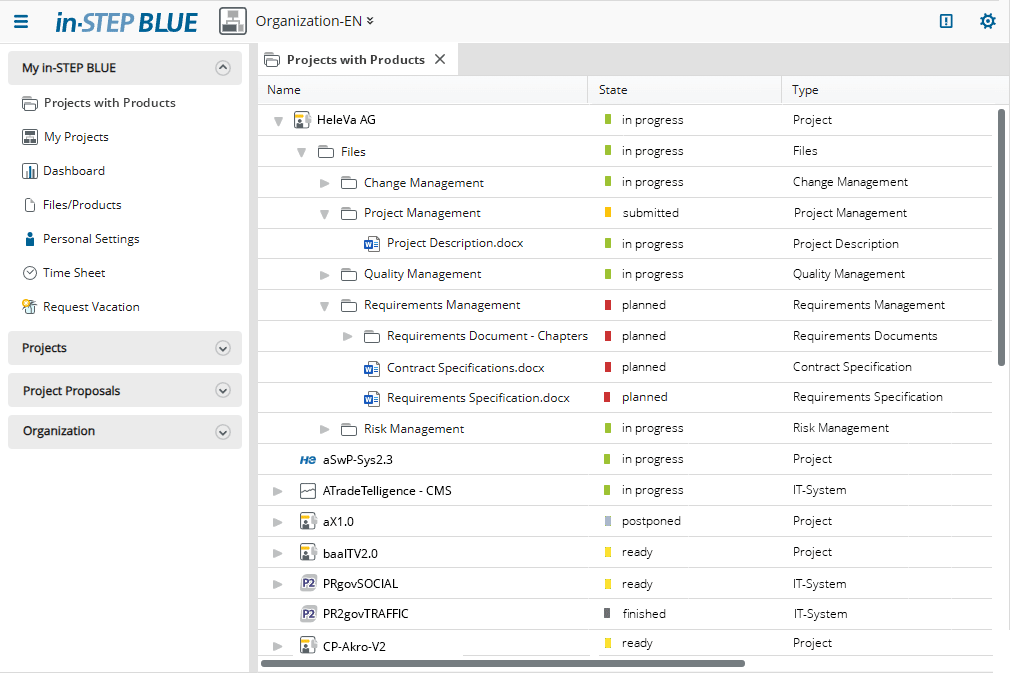
Are you interested in the contents of individual projects? Which documents have already been created in one project, how many requirements have already been implemented in another project? With in-STEP BLUE, you have access to all content from all projects, provided you have the appropriate rights.
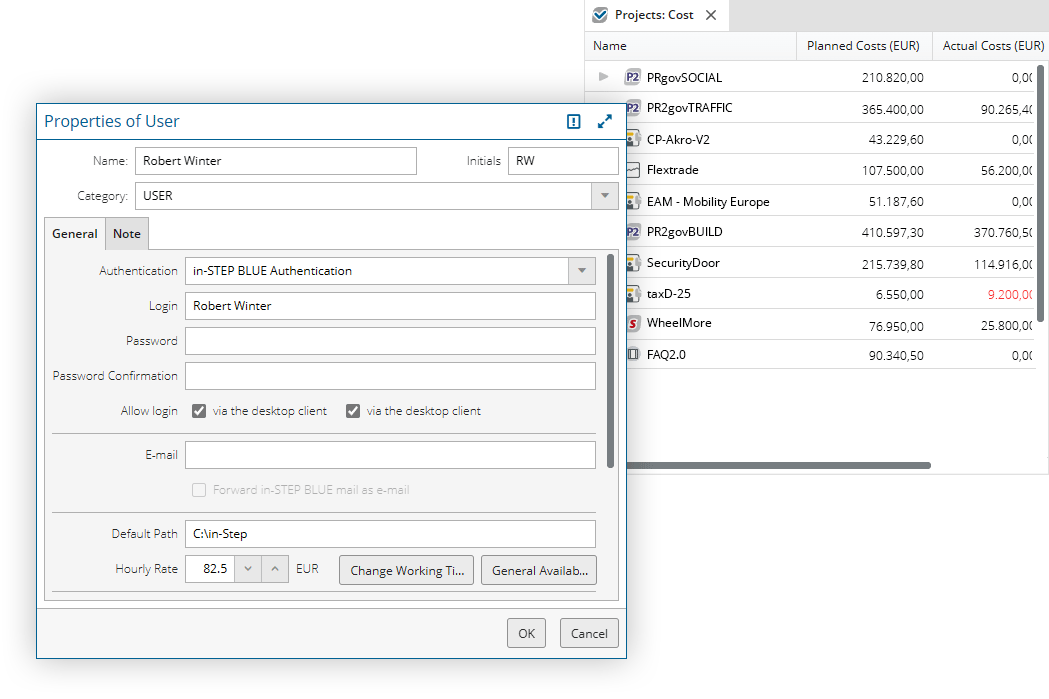
in-STEP BLUE also covers costs at the project and multi-project management level. You can store cost rates per employee, define project budgets, record working hours, and compare planned and actual values. Everything is easy and clear.
Click here for a list of functions of multi-project management with in-STEP BLUE
- Provide one consistent planning tool for your entire organization.
- Make cross-project use of work results and reuse them throughout your entire organization.
- Define date-related dependencies and receive notifications and alerts when you need them.
- Harmonize dates, resources and costs of your project portfolio and create synergies.
- Notify project members about upcoming tasks.
- Utilize comprehensive and instant data access.v
- Create project lists with key figures and manual feedback for reporting.
- Benefit from time recording for programs, projects, work packages, tickets etc.
- Create reports and individual analyses for controlling and reporting.
- Export all views at the click of a mouse to Microsoft Office, as XML, HTML or PDF.
- Use different business processes for different projects in one database.
- Enable effective communication through instant messages between users.
- Manage all members of your organization in one database (also via Active Directory Import).
- Map your organization structure and define roles and rights.
- Support each team member in their individual work for projects and the organization.
- Manage your project budget and compare planned and actual costs as well as planned and actual efforts.
Try out Free of Charge
Request a free trial of in-STEP BLUE now.
Tips & Tricks
In our Download Center you will find even more interesting downloads for in-STEP BLUE.
What Users Say about in-STEP BLUE