
All data is managed centrally in in-STEP BLUE or in a central location of your choice. Efficient access rights management included.
With in-STEP BLUE you manage requirements, documents, ideas, tickets and much more without the need for redundant interfaces. The filing system is individually customizable.
in-STEP BLUE includes automatic versioning of documents, requirements, ideas, vacation requests and test cases. And much more. All changes are instantly retraceable.
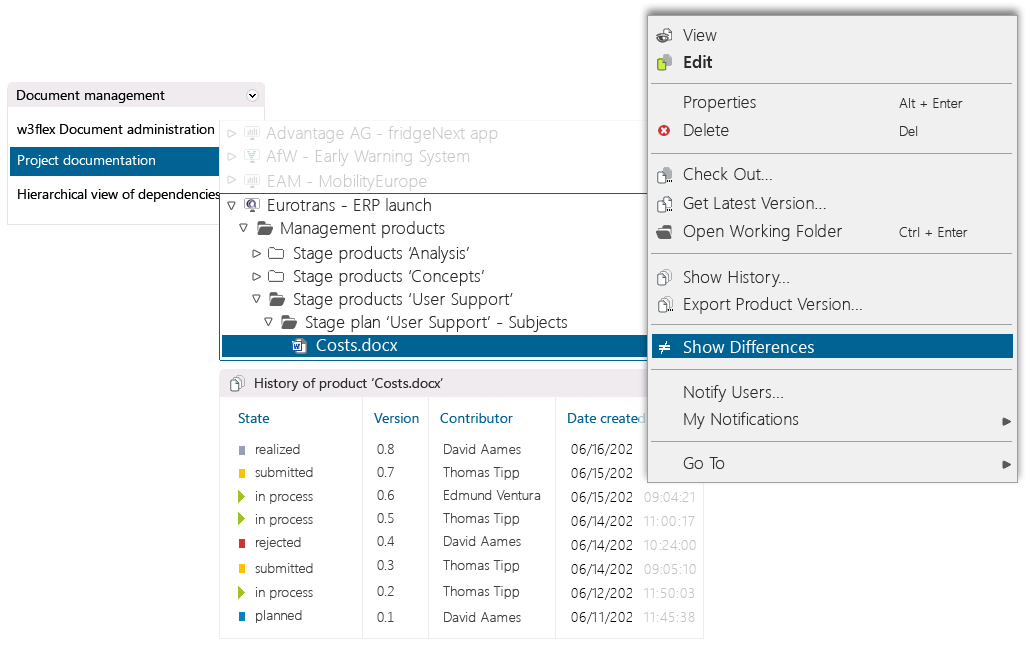
Files properties are available at the click of a mouse, along with all existing revisions.
Access differences between versions of documents, requirements and other elements at the click of a mouse.

Version Management for your Projects.
Work comprehensibly through your projects. Manage projects with processes.
The Objectives of Version Management
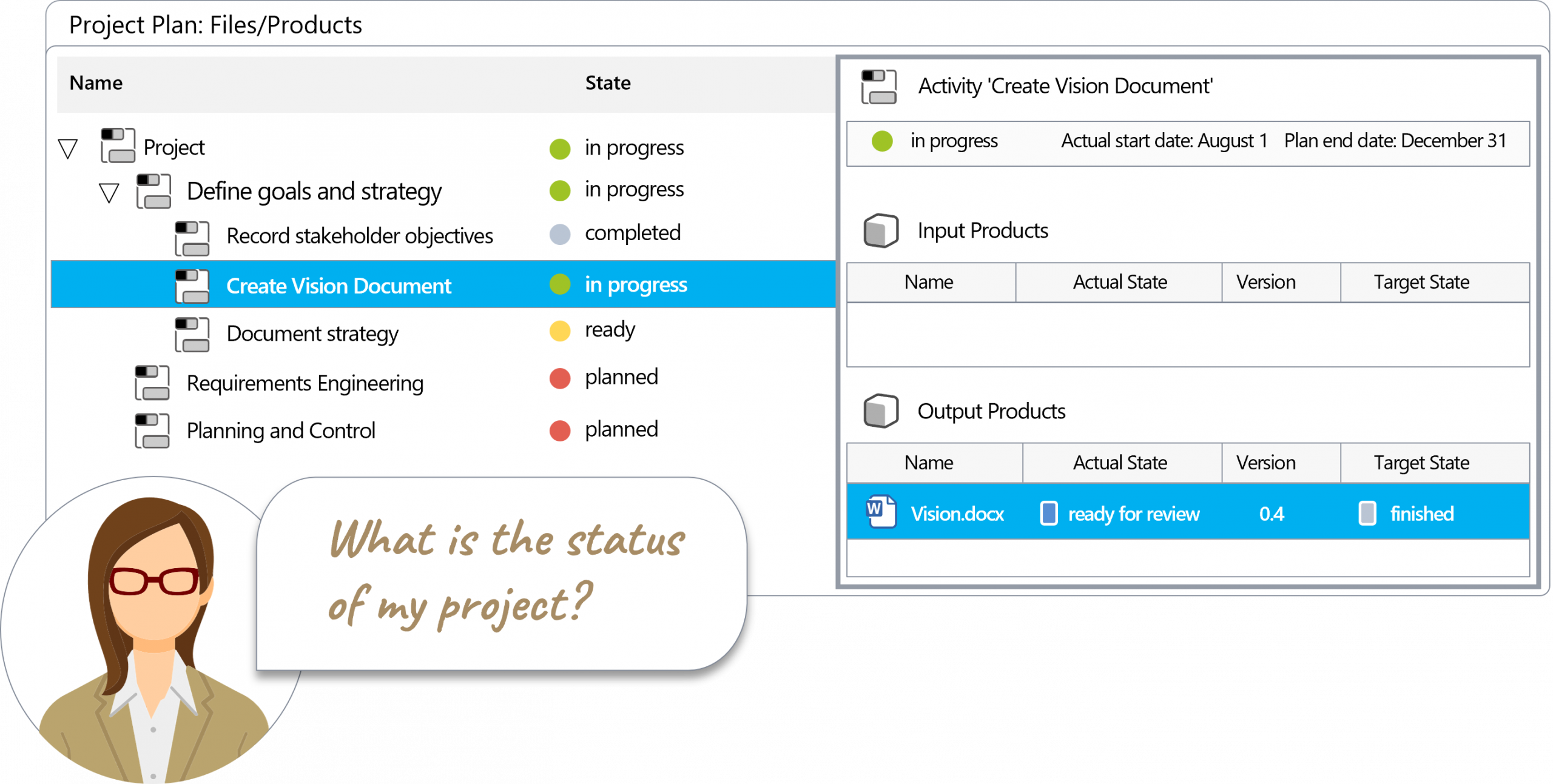
All the information you need
How does in-STEP BLUE support you?
Version management under control
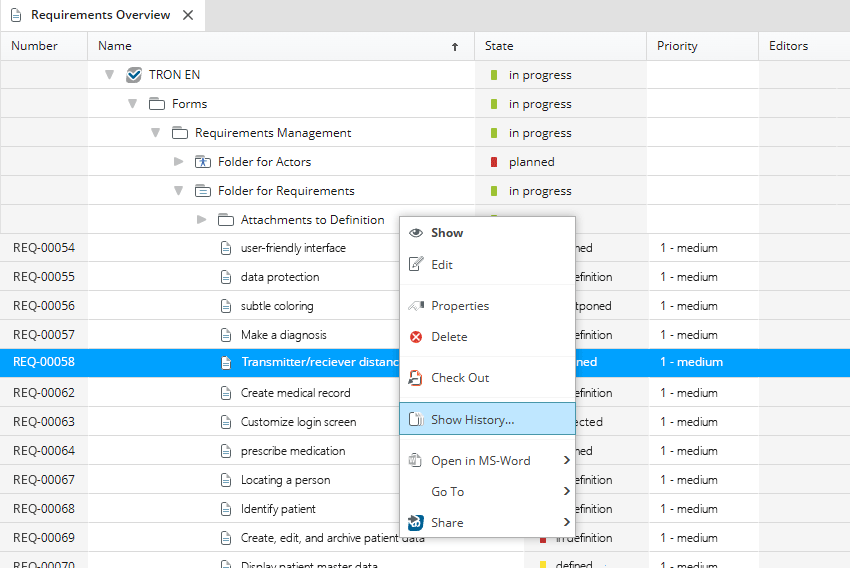
In in-STEP BLUE, you can manage and version files and artifacts such as requirements, ideas, tickets, etc. Each element in in-STEP BLUE has its own version history, i.e., whenever you edit an element, a new version of the element is created in in-STEP BLUE.
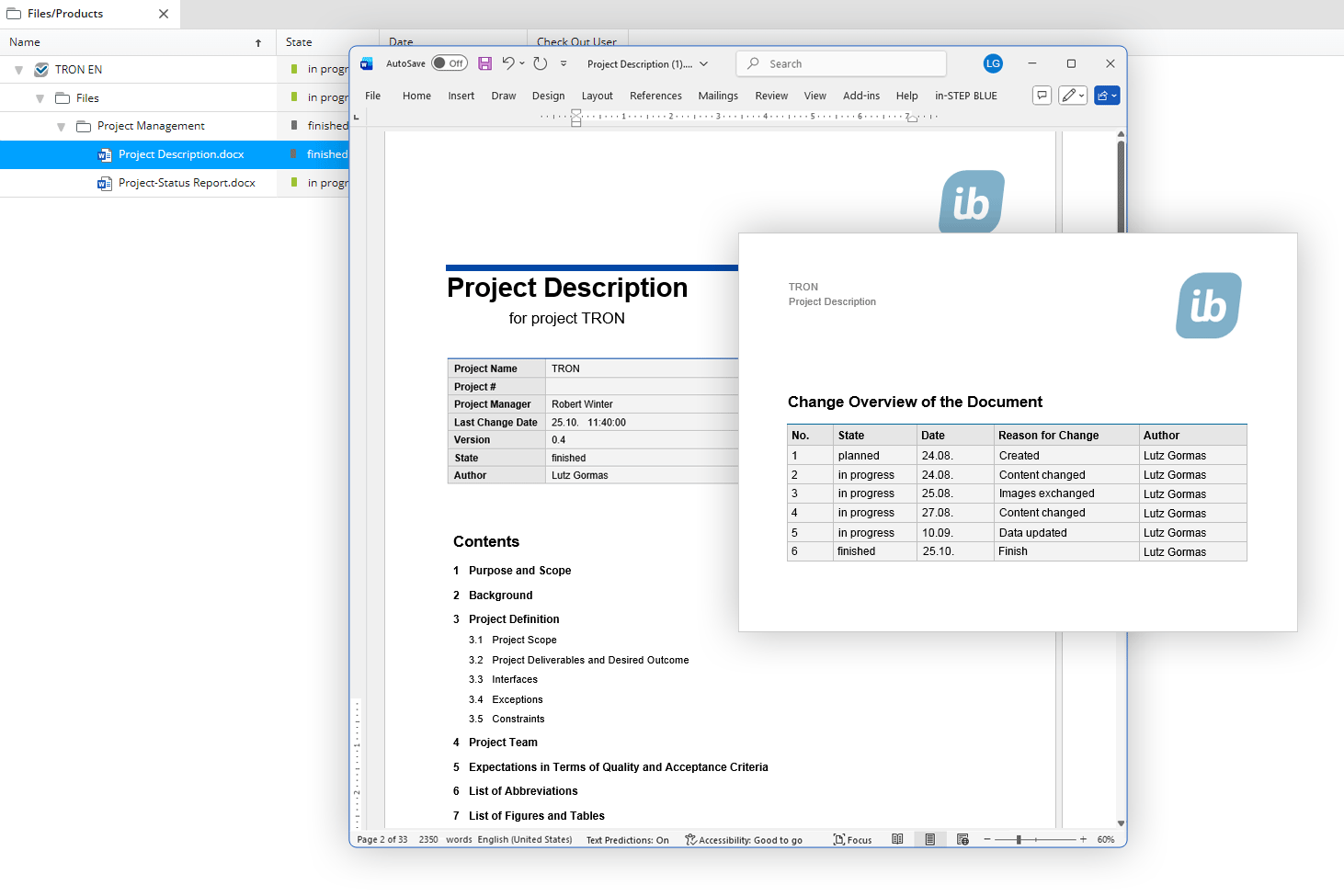
You can also automatically generate the history of a document in the respective document, thereby proving who changed what, when, and why in the corresponding document.
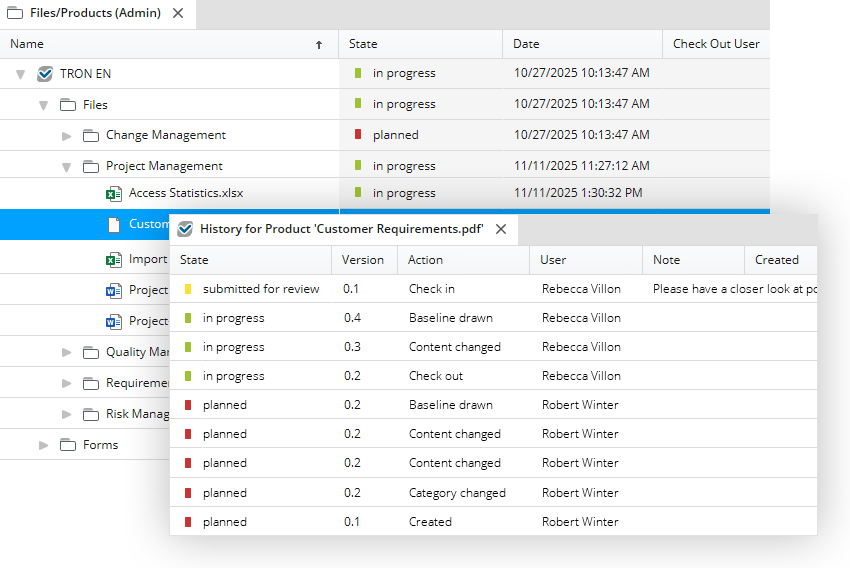
And in the history of an artifact, in this case a PDF, you will find a wealth of relevant information, such as the version number, the date of the change, the action that caused the change, etc.
Click here for a list of the functions of version management in in-STEP BLUE
- All project results managed completely securely in a central library.
- File drag and drop for easy exchange between local storage and database.
- Version control guarantees easy check-in and check-out of files and frictionless teamwork.
- Retrace differences between revisions of files and elements at the click of a mouse
- Simple, powerful and individually configurable management of access and editing rights.
- Easy creation reproduction of baselines for efficient and up-to-date project evaluation.
- Create a common filing system for your projects.
- Define the structure and workflow for your version management.
- Create complex files collaboratively in your team.
- Store all project results securely in a central product library.
- Reference vital files in all projects.
- Use the integrated full-text search for instant access to files.
- Benefit from automatic name assignment and numbering/ticketing.
- Archive all your files, from technical documentation to emails.
- Define the default tools for specific file types.
- Support home office workers with web-based version management.
- Configure files paths for individual drives or team members.
- Work revision-secure across the entire organization.
- Access your project from the company network or from home office workstations.
- Typecast files and define workflows for them.
Try out free of charge
Request a free trial of in-STEP BLUE now.
Tips & Tricks
In our Download Center you will find even more interesting downloads for in-STEP BLUE.
What users say about in-STEP BLUE
“The reasons we use in-STEP BLUE in almost all operating ranges, from applicant management to development projects with specific processes to quality assurance are its numerous possibilities. To me, in-STEP BLUE is the “mightyTOOL” for project management, configuration management and artefact regulation.“