
Create Quarters
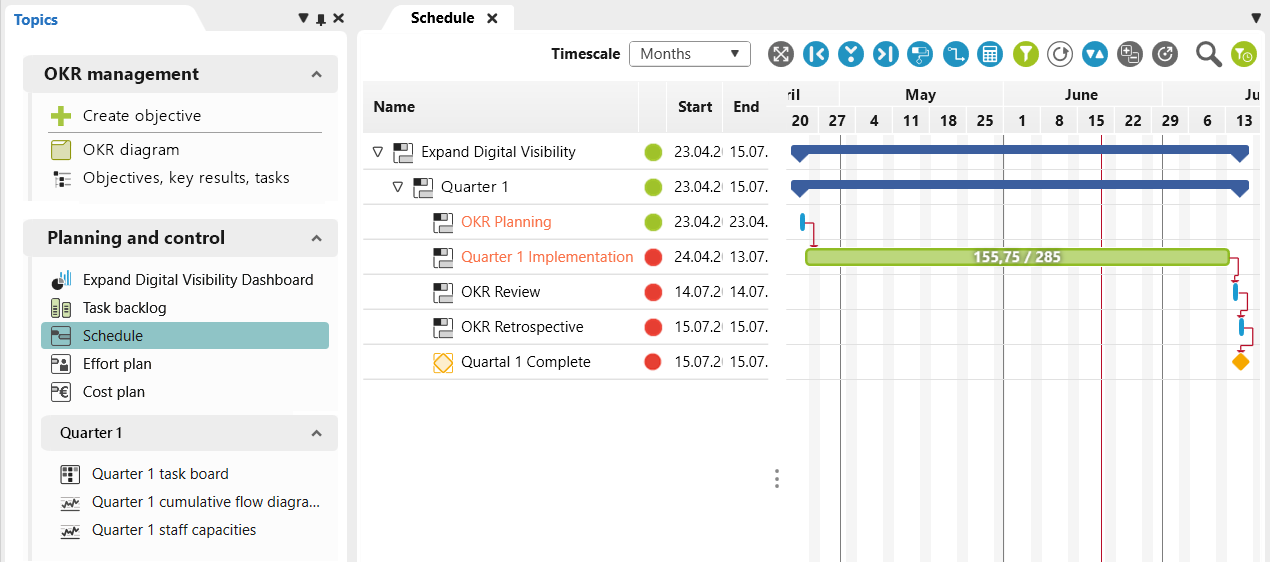
The OKR template from objectiF RPM allows you to plan and manage your goals within clearly defined timeframes. Whether you choose a traditional quarterly approach or a more flexible one, you determine the parameters within which you will achieve your objectives and key results.
Quarterly planning is implemented intuitively. With just a few clicks, you can create new cycles that appear directly in the calendar. You can also maintain an overview of progress, resources, and the employees involved at all times.
Define Objectives
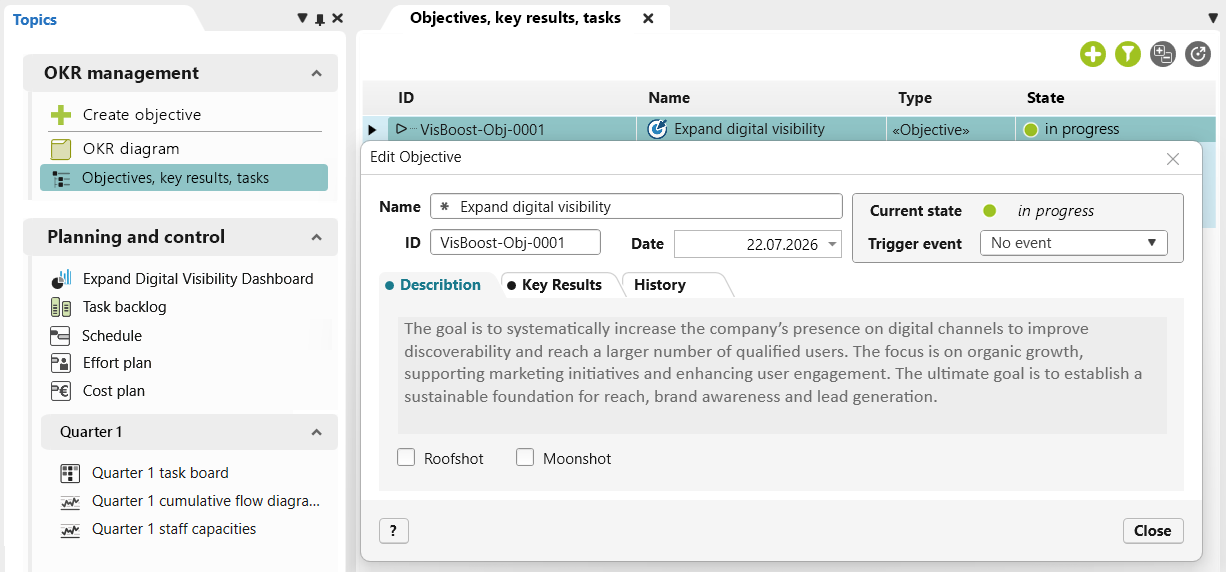
Objectives precisely describe the overarching goal to be achieved. They are clearly formulated and aim for a specific outcome. The Key results then handle measurability.
With objectiF RPM, you can record your objectives structured and traceable. You can assign priorities and define a timeframe. Seamless integration with subsequent key results creates a continuous workflow from goal setting to evaluation. This provides a reliable foundation for goal-oriented work.
Define Key Results
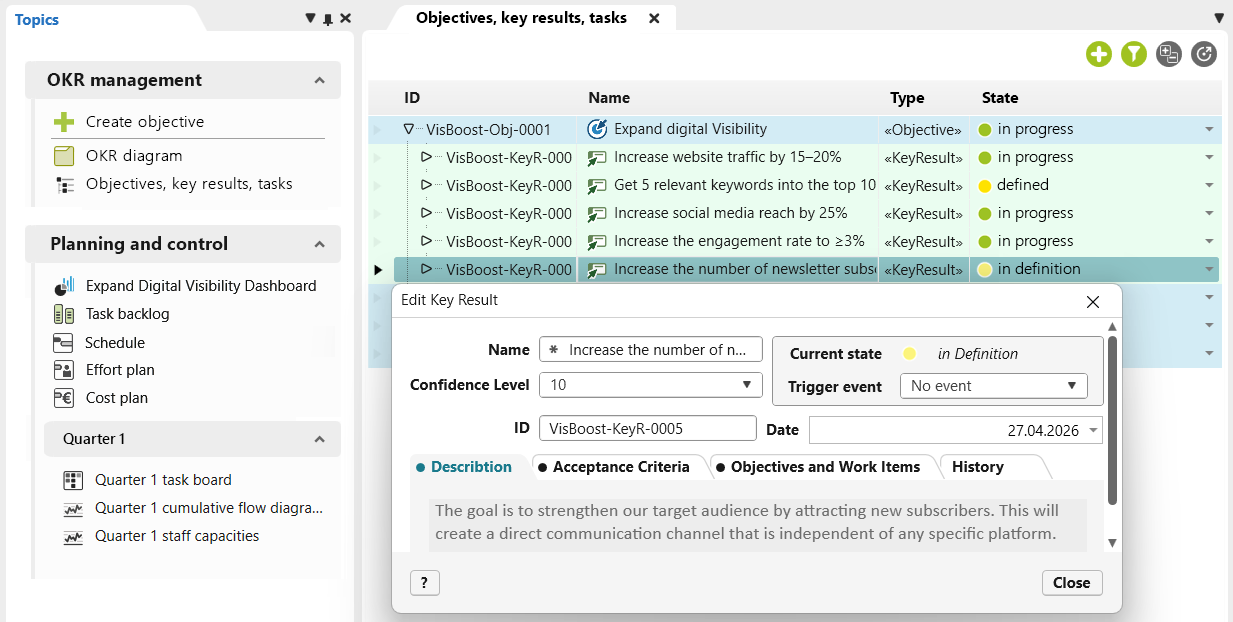
Key results define the metrics by which progress and goal achievement can be measured. Multiple key results shed light on different facets of the same objective, providing a comprehensive picture rather than a one-dimensional assessment.
Key results can be derived from their respective objectives, establishing a relationship between them. You can systematically record relevant details, such as the timeframe, description, and precise acceptance criteria with clearly defined target values. This makes progress visible and enables targeted management.
Create Tasks
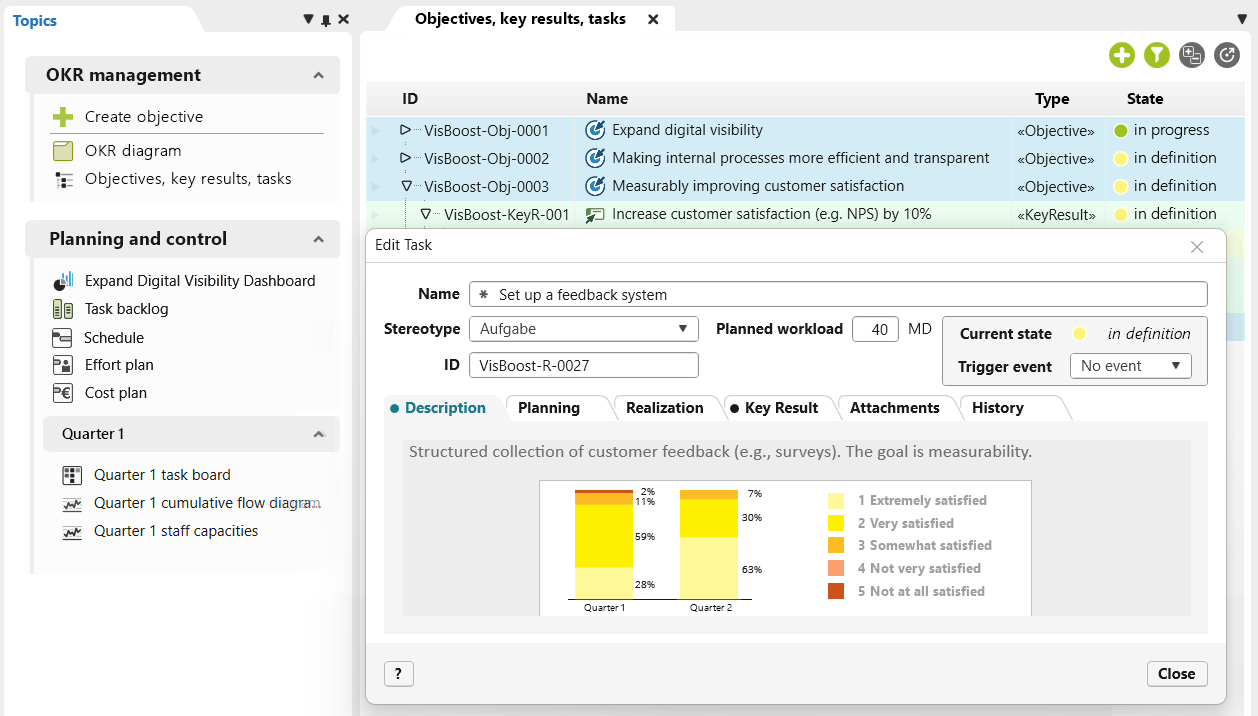
In objectiF RPM, specific tasks are derived from Key Results and then scheduled. These tasks outline the steps necessary to achieve a key result. They ensure accountability in implementation and help set priorities effectively. Additionally, the estimated effort enables sound planning.
Furthermore, it is possible to transparently track which tasks contributed to achieving the key result and the context in which the implementation took place.
AI Support
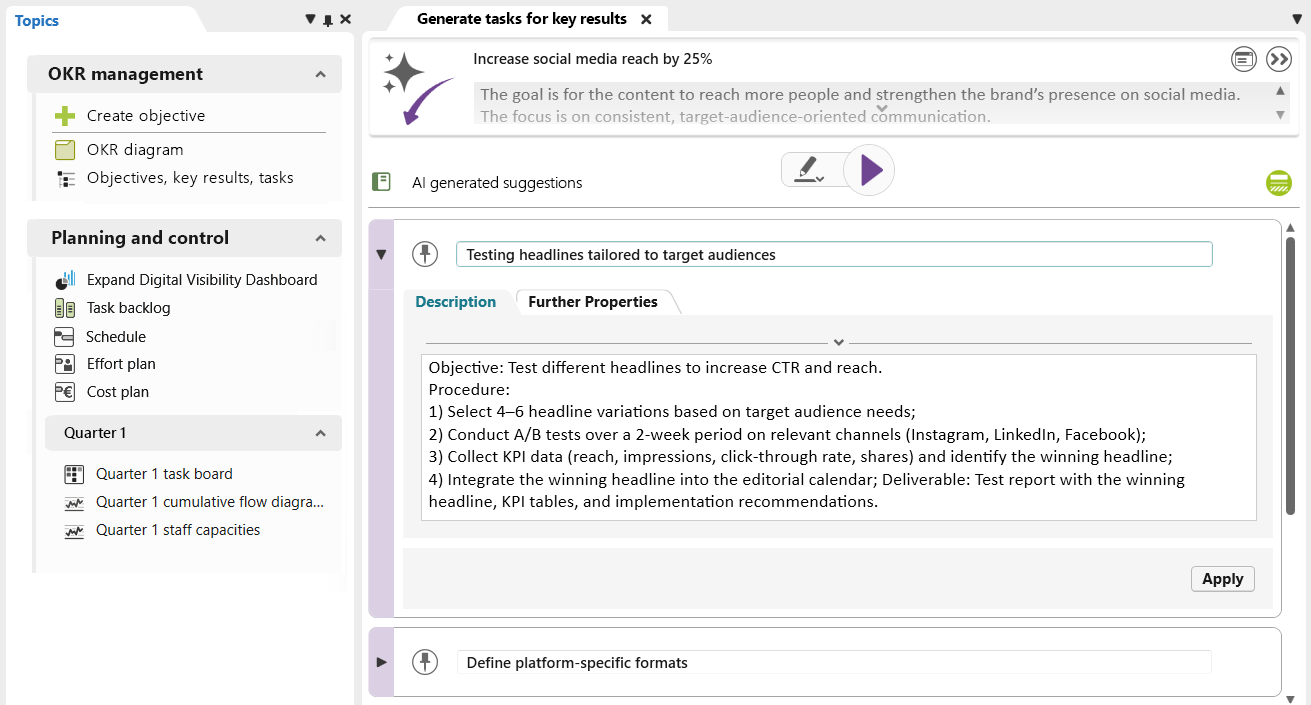
AI provides targeted support as you develop your OKRs. In objectiF RPM, you’ll receive Key Result suggestions based on your objectives. A second AI assistant is available to help you derive specific tasks.
You can review, adapt, and adopt all suggestions selectively. AI provides ideas, and you make decisions. These assistants are preconfigured and integrated directly into the template.
Visualize OKR Sets
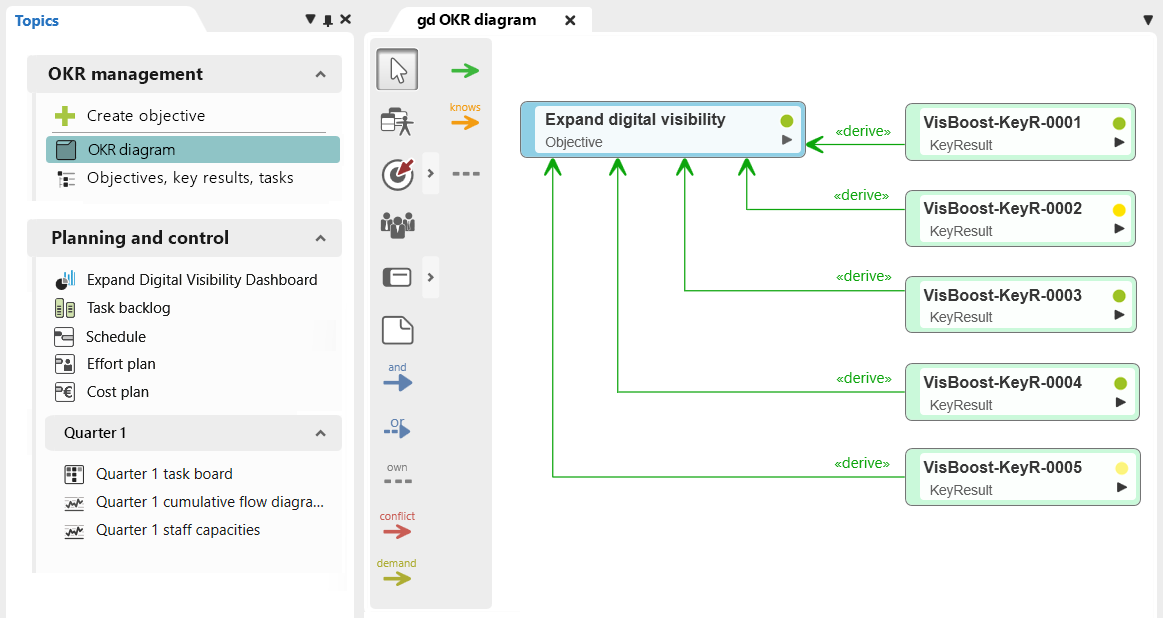
With objectiF RPM’s diagrams, your OKR sets become tangible. The drag-and-drop functionality adds elements directly to create a customized visualization of your objectives and key results.
You can also visualize the connections between individual elements, which gives you a clear picture of how objectives and key results are related. This feature is especially helpful for more extensive OKR sets.
Schedule Tasks within the OKR Cycle
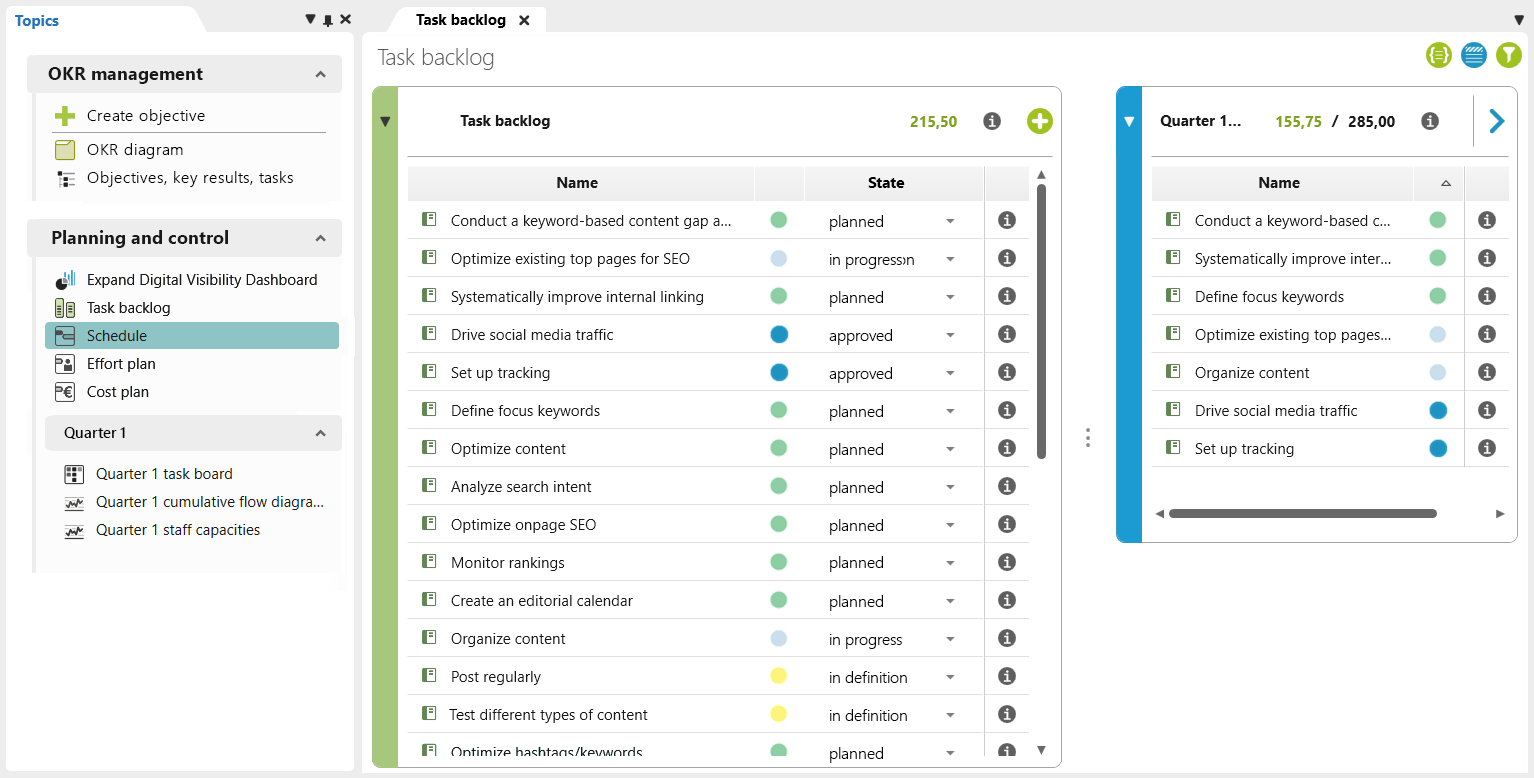
Assign planned tasks to an OKR cycle in objectiF RPM to ensure they turn into actual results. You can keep track of everything in the task backlog.
Tasks that have been prioritized can be assigned to the desired cycle there using drag-and-drop. Once a task is scheduled, its status changes and it automatically appears on the team’s task board. This ensures a smooth implementation process.
Implement Tasks
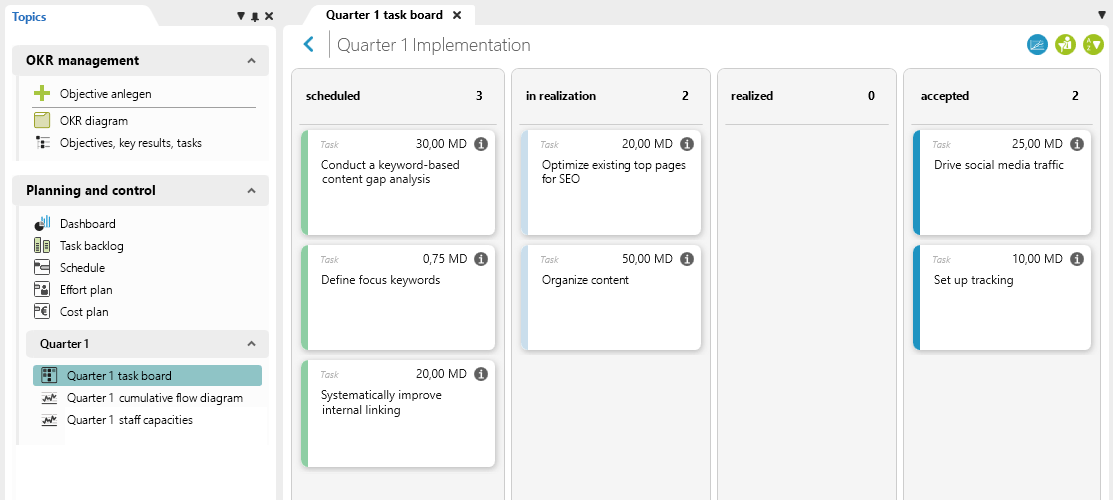
Make your plans a reality with clearly managed workflows on the task board. objectiF RPM provides a separate Kanban board for each quarter. All scheduled tasks appear as cards in the first column, “scheduled.”
Team members can move the cards step by step through their workflow using drag-and-drop. This creates a transparent process and ensures seamless traceability of progress.
Key Result Scoring
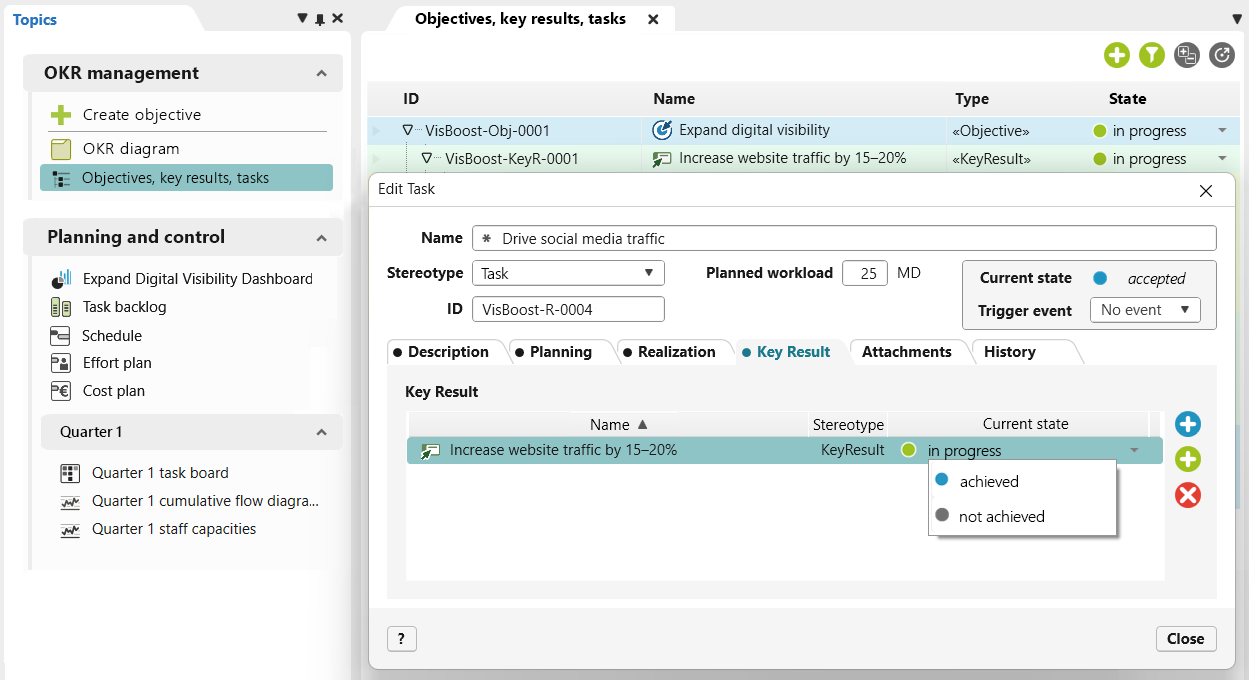
The scoring system shows how effectively completed tasks contributed to achieving key results. Each key result is evaluated based on its defined acceptance criteria. This results in an objective, fact-based assessment of the degree to which the goal has been achieved, leaving no room for interpretation.
In objectiF RPM, you can immediately see from the status of each key result whether it has been met. Finally, you can review the results together to gain valuable insights for the next quarter.
Progress and Evaluation
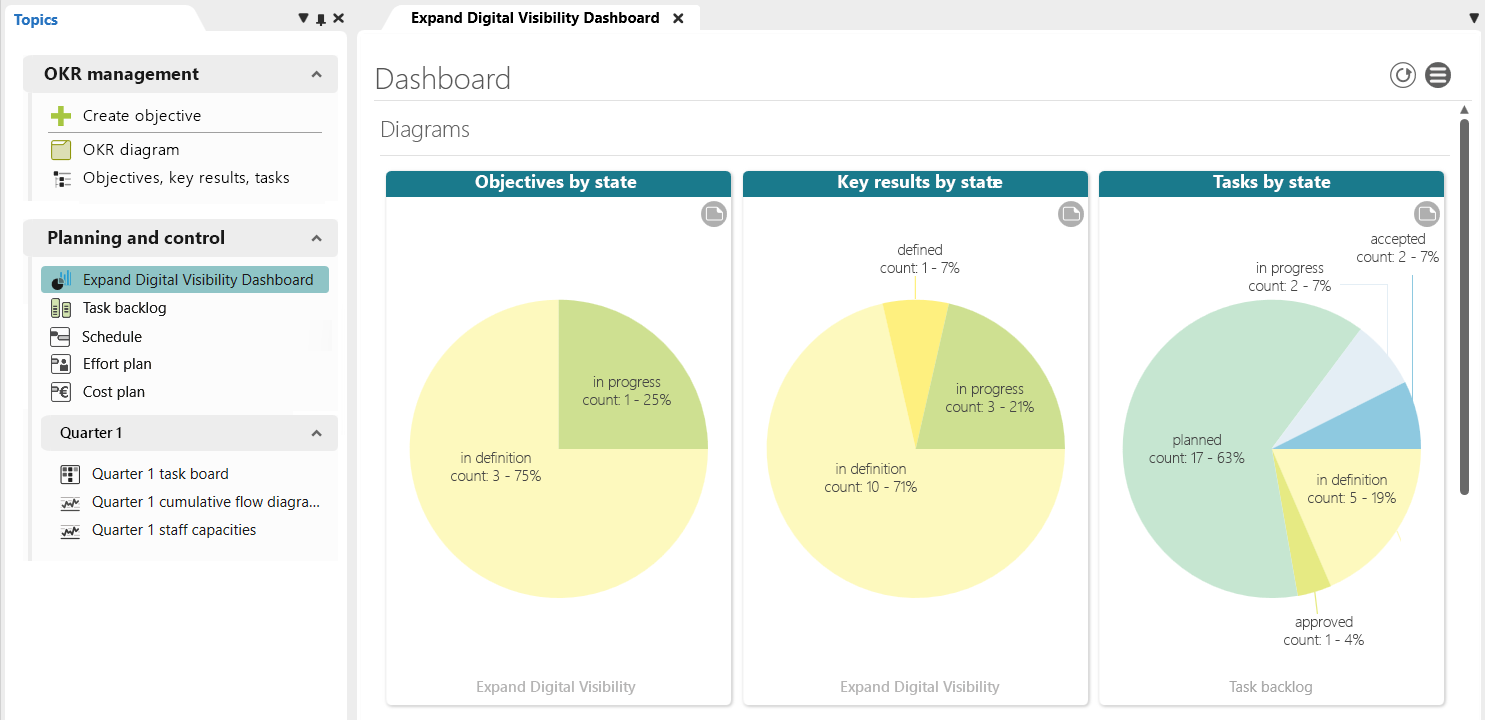
Always keep track of your company’s progress toward its goals. The OKR template provides a concise overview on the dashboard and a detailed view of the schedule, backlog, and task board. All relevant information is centralized, serving as a single source of truth for your OKR cycles.
Thanks to customizable workflows, you can adapt the structure flexibly to your processes and create a work environment that fits your daily project routine.
If you have any questions or need customizations, we’re happy to provide assistance.
Start Your Process
Optimize your process with individual state machines and filtered queries. See for yourself! We will show you what’s possible in a personalized test setup.

Get in Touch with Our Experts
Do you have questions about the template or want to know whether objectiF RPM is the right fit for your project?