

Anyone who has worked in requirements engineering is familiar with this feeling: despite collecting goals, talking to stakeholders, and carefully documenting everything, some aspects remain unclear. Which expectations are truly important? What risks are we overlooking? Are we talking past each other? After all, every stakeholder has their own goals, perspectives, and priorities.
In the second part of this series, we will show you how to create an AI assistant in objectiF RPM. In this blog post, we will explain how to set up an intelligent questioner. This assistant facilitates targeted conversations with your stakeholders, providing valuable insights early on and ensuring their interests are considered. We will demonstrate this using the example of improving a company’s onboarding process.
Read the first part of our series to learn more about the AI assistant SkillTrip. In that blog post, we show you how to create an AI assistant for training courses and team events.
How Does this AI Assistant Support my Requirements Engineering?
Although requirements often stem from stakeholder goals, crucial information and clear expectations are often missing. This can make it difficult to derive precise, unambiguous requirements. Stakeholder interviews are an effective method for addressing these gaps. Targeted questions quickly identify misunderstandings and clarify missing details. That’s precisely what the AI assistant we’re configuring together today does.
It analyzes a stakeholder’s goals and generates meaningful supplementary questions. The stakeholder’s answers later help formulate the requirements more clearly and unambiguously. With objectiF RPM, you can create a variety of AI assistants tailored to your processes. In this blog series, we will show you these possibilities.
Step by Step Instructions for Using an AI Assistant in objectiF RPM
In our example, we first extend the objectiF RPM data model to include the artifact type “Question.” To relate this to stakeholders, we create the relationship type “Question Stakeholder Relationship.”
To create and edit stakeholder questions, we will create a form next. This form will include the required fields for the name, question, answer, and stakeholder assignment. We will then use a state machine to define the lifecycle of a question, such as whether it is still open or has already been answered.
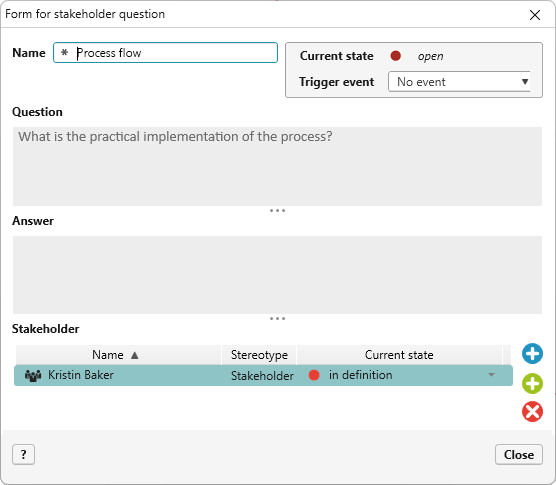
We can now use the tool to create and edit questions for stakeholders. Next, we will configure generation using the AI assistant. To receive AI support in generating the questions, we must define which data is made available to the AI and which data the AI will generate and transfer to objectiF RPM.
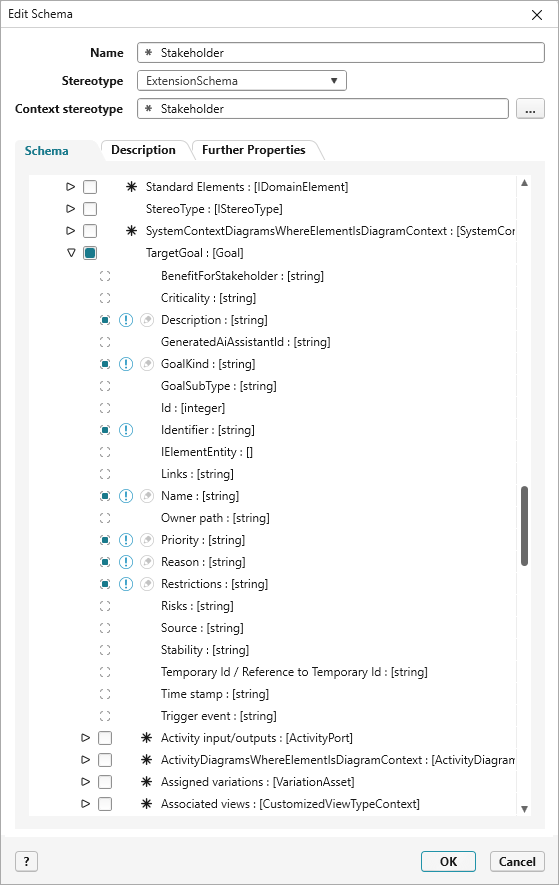
The “Stakeholder” input schema establishes the technical context. We specify the information that the AI can use about the stakeholder. This includes the description, role, and goals.
Then, in the “Stakeholder Question” output schema, we define what the assistant’s output should look like. The key properties here are the question’s name and the formulated question.
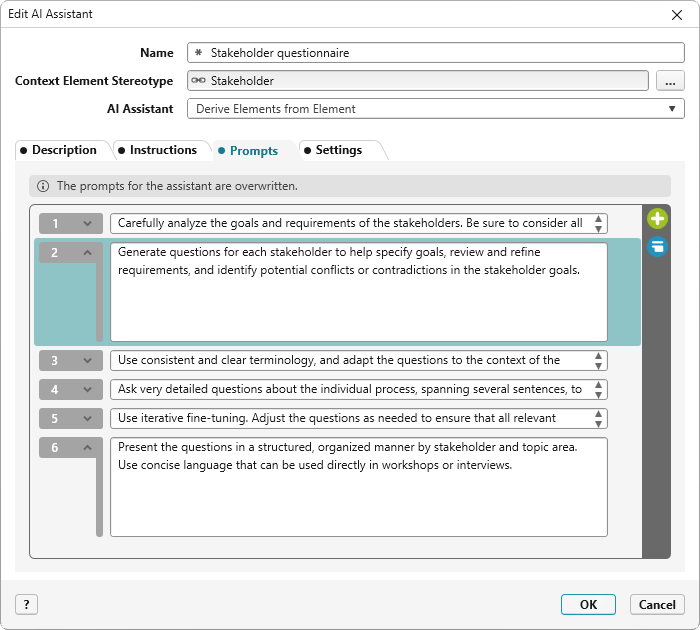
Next, we will configure the AI assistant. We provide a concise description, clearly formulated notes, and numbered instructions (prompts). In our example, the AI assistant generates questions about the stakeholders’ goals to reveal conflicts or contradictions between them.
It is important to select the previously created “Question Stakeholder Relationship” as the relationship type. This is the only way the AI can clearly link the question to the stakeholder later on.
Under Settings, select the previously created schema for the context element and the schema for generated elements. This creates a clearly defined framework. The input schema provides context, and the output schema specifies which data will be stored in objectiF RPM.
In the final setup step, you can define your own command to use the AI assistant. It starts generating, after you execute the new command, “Generate question catalog.”
Using the AI Assistant
When viewing a list of stakeholders, you can now use the context menu to access the AI assistant for a specific stakeholder.
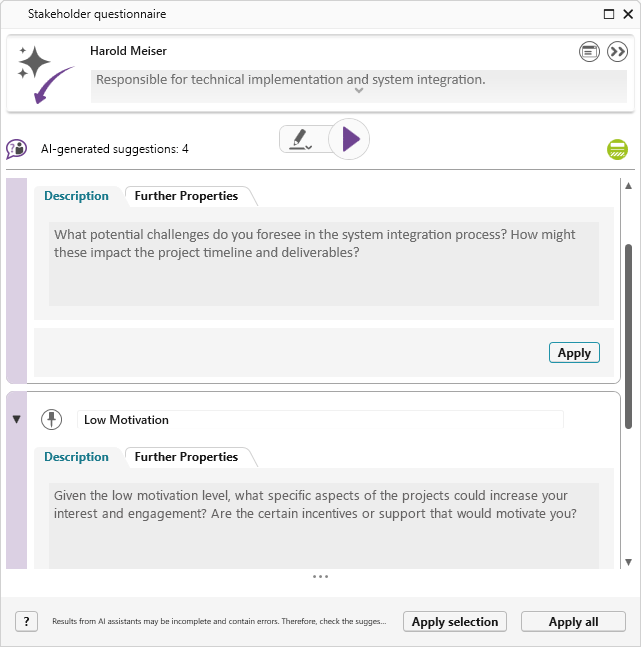
In our example, we select Harold Meiser, the IT manager responsible for technical implementation and system integration.
The example below shows two results:
- Detailed Technical Integration
Which specific systems or technologies are currently present in the infrastructure that need to be considered during integration? Are there any technical limitations that could affect the project? How can the existing IT landscape be integrated optimally?
- Influence and Motivation
What are your priorities regarding the implementation of the technical aspects? How can we shape your role in a way that increases your motivation despite your limited influence currently? What kind of support do you need from other stakeholders to be successful?
This creates real added value in the project, including better understanding and clarity, as well as a significantly more efficient transition from goals to requirements.
Conclusion
AI assistants are as unique as your workflows. The Stakeholder Question Assistant exemplifies the significant advantages of AI support in requirements engineering.
However, this is only one possible application area. With objectiF RPM, you can create an unlimited number of AI assistants, each of which can be configured and tailored to your specific workflows. These assistants can generate questions, define measures for risks, refine requirements, and derive test cases. You can set up a separate assistant for almost every process step. In short, if you understand your processes, you can use the appropriate AI for them with objectiF RPM.
Would you like to support your workflows with AI? Discover the possibilities of objectiF RPM in a personal test environment. Contact us for more information.